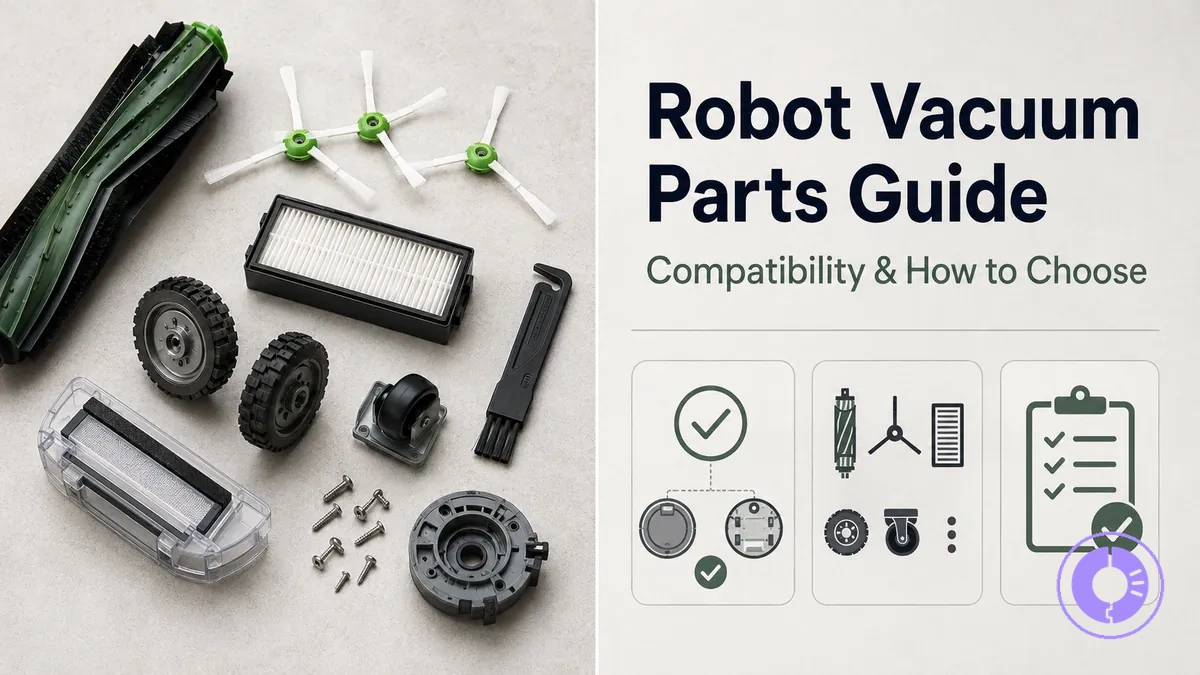
Roomba replacement parts: compatibility, part types, and choosing the right replacements
Roomba replacement parts are the individual components that can help restore a robot vacuum's cleaning performance after normal wear. Compatibility between a part and a specific Roomba unit depends primarily on the robot's model and series, as well as the part's version or generation.
When a cleaning symptom—such as reduced suction, unusual noise, or incomplete coverage—persists after basic maintenance, replacing a worn component is often the next step. The decision involves three main tasks: recognizing which part category (filter, brush, battery, or bin) is affected, verifying that the replacement accessory fits the specific series, and weighing the trade-offs between different buying options.
The most common replacement part families include high-efficiency filters, multi-surface rubber brushes, edge-sweeping brushes, dirt disposal bags, and cleaning pads for combo models. Each family varies in shape, mounting points, and materials across different Roomba series and generations.
A part that needs cleaning differs from one that needs replacement: filters can be tapped clean between changes, and brushes can be unwound of hair, but once the material degrades or the seal weakens, replacement can restore performance. This boundary helps prevent unnecessary purchases while helping prevent worn parts from compromising cleaning results.
Trade-offs between original and third-party options often involve differences in materials, fit tolerance, and longevity.
Confirm correct fit with these checks:
- Match the robot's model number (found on the underside label) with the part's listed compatible series.
- Compare the shape and attachment points of the old part with the replacement using a parts diagram or visual inspection.
- Check the part number printed on the existing component if available.
Roomba replacement parts in context: what counts as a replacement part and what doesn’t
Roomba replacement parts are consumable or wearable components that need periodic replacement. They are compatible with specific series and models for proper fit and function. These parts are sold individually or as bundled replenishment kits.
Not every component inside a Roomba counts as a consumable replacement part. Motors, sensors, main boards, and structural housings are non-consumable assemblies that need technician diagnosis or are intended to last the unit’s lifetime.
- Filters – for e, i, j series and Combo models; replacement triggers include reduced airflow or visible dust bypass; misfit risk arises when the filter shape does not match the bin housing.
- Brushes – edge-sweeping and dual multi-surface rubber; brush wear reduces debris pickup; mismatched brush series can cause noise or fit issues.
- Dirt disposal bags – for Clean Base automatic dirt disposal docks; bag fullness triggers replacement; incompatible bags may not seal properly or cause clogs.
- Replenishment kits – bundled sets of filters, brushes, and sometimes bags; convenient for scheduled maintenance but should match the intended model range.
| Part / Assembly | Function Affected | Typical Replacement Trigger | Misfit Risk |
|---|---|---|---|
| Filter | Air filtration, suction performance | Reduced airflow, visible dust | Bin seal failure, motor strain |
| Brush (edge-sweeping) | Corner cleaning | Bristle wear, breakage | Poor edge pickup, brush not spinning |
| Brush (dual rubber) | Debris pickup from floors | Loss of grip, visible wear | Increased noise, reduced cleaning efficiency |
| Dirt disposal bag | Automatic emptying | Bag full indicator | Leaks, dock errors |
Before ordering a replacement part, try cleaning and reseating the existing one first. Some performance issues can be resolved without buying a new component if the problem stems from dirt buildup or improper installation rather than actual wear.
Wear Parts vs Modules vs Accessories: How to Think About Replacements
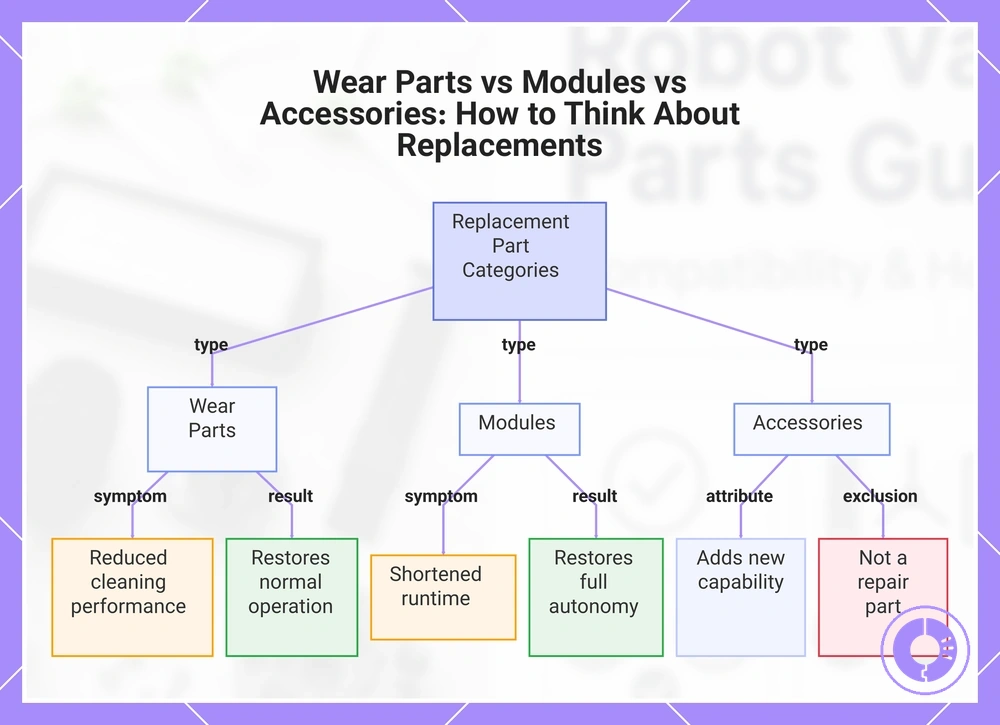
Wear parts are consumables that degrade with use, modules are self-contained subassemblies that provide a specific function, and accessories are optional components that add or alter capabilities. These categories apply to different Roomba series and models.
Each category has a typical component, a failure sign, and a change that results from replacement. For wear parts such as brushes and filters, reduced cleaning performance is a common sign; replacing them can restore normal operation. For modules like the battery pack, shortened runtime may indicate a module-level failure; replacing the module can restore full autonomy. For accessories like a virtual wall lighthouse, the part adds functionality rather than repairing an existing fault.
These quick checks can help distinguish the categories:
- Does the component degrade gradually, reducing cleaning performance over time? It is a wear part.
- Does the sealed unit fail, causing loss of a specific function like shortened runtime? It is a module.
- Does the optional component add a new capability without fixing an existing fault? It is an accessory.
This chart shows the three categories of Roomba replacement parts—wear parts, modules, and accessories—along with their key signs and distinguishing checks.
When replacement is the right move vs cleaning, reseating, or resetting
When cleaning, reseating, or resetting repeatedly fails, the part is likely worn or damaged enough to justify replacement.
The symptom—like your Roomba not cleaning well, not moving, or displaying an error—helps determine which maintenance action to try first.
If brushes no longer spin or the bin does not seal, cleaning the brush module or reseating the bin may resolve it temporarily. However, if the same symptom recurs, the part's material condition—bristles worn down, gasket deformed—means that compatible replacement parts are likely needed. The specific series or model determines which replacement accessories or parts fit, so compatibility must be checked.
A filter that clogs quickly after rinsing may simply be misseated; reseating it can restore seal. But if the filter collapses or the rubber seal cracks, neither cleaning nor reseating can restore function, and a new filter is required.
A quick verification check for replacement:
- Does the symptom persist after cleaning and reseating, and does the part show visible wear or damage?
Identify your Roomba and the exact part you need before checking compatibility
Identifying your Roomba and the exact part you need before checking compatibility helps you avoid ordering parts that do not fit. It is typically the same method whether you need a new filter, brush, or battery — identify your Roomba for the right parts before you proceed.
The process takes a few minutes and typically does not require disassembling the robot.
Look for the serial number sticker. The image below shows where that sticker is usually located.
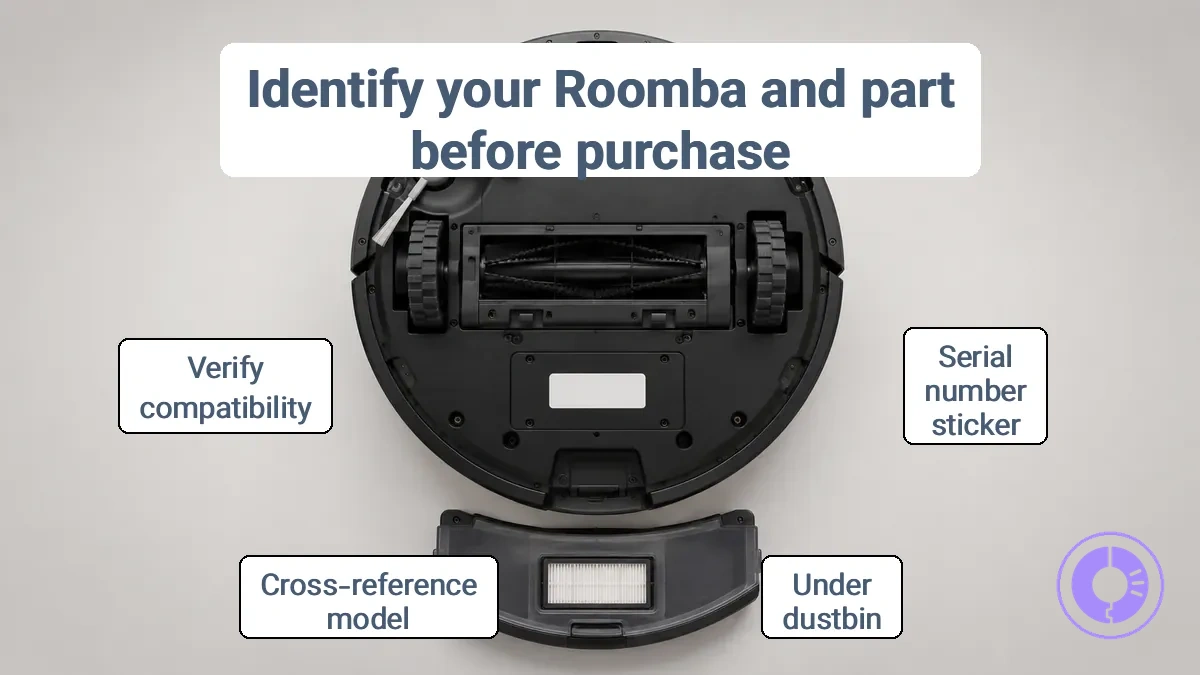
Once you have located the serial number, use these verification steps to confirm the model and part:
- Check the serial number sticker under the dustbin. The model number is usually the three digits after the initial letters.
- Write down the full serial number and note the product series, which appears in the first part of the label (for example, 600, i, j, or s).
- Confirm the part you need by cross-referencing the model and the part name using a parts diagram or a support article.
- Verify that the replacement part lists your specific model or series in its compatibility notes before purchasing.
If the serial number label is worn or illegible, you can still identify your model using the iRobot Home app. Open the app, go to Product Settings, and look for the model information under 'About Roomba'.
This fallback method works for most Wi‑Fi connected models. For older or non‑Wi‑Fi models, the serial number is often printed on a second label under the battery or on the bottom sticker.
Finding your Roomba model or series from labels and app details
Check the label on the underside of your Roomba or use the iRobot Home app to confirm the model or series needed to select compatible replacement parts.
Use these identifiers to find your Roomba model or series:
- Underside label near the left wheel: Shows the model number directly, helping you identify compatible replacement accessories.
- Serial number under the dustbin: The first three digits after the initial letters indicate the model series, allowing you to narrow down parts options.
- iRobot Home app: Displays the model and serial number in the product information section; useful when the physical label is worn or hard to read.
Two high-risk cues can lead to incorrect identification.
- Visually similar models such as the Roomba 692 and 694 share the same shape but differ in internal parts; the serial number can distinguish them.
- The serial number location shifts by series — older 500–900 series place it in the dustbin compartment, while newer series like s, i, and j place it under the bin at the rear — so using the wrong access point may miss the label.
Relying only on the name printed on the robot’s top cover can be misleading. That label often shows just the brand, not the specific series or model number, which can lead to ordering incompatible replacement parts. If the app fields differ across versions, fall back to the physical label.
Using part names, diagrams, and assemblies to match the correct component
Identify the symptom area and translate it into the assembly name shown on the parts diagram. For example, a side brush that no longer spins points to the side brush assembly, while a missing or broken squeegee belongs to the cleaning head module. This method reduces the chance of ordering a visually similar but non-compatible spare part.
You can use a parts diagram to find the correct component and then apply these verification checks:
- Observed area → confirm the symptom location (e.g., near the front wheel, under the cleaning head).
- Assembly/part name → match the label on the diagram (e.g., ‘side brush assembly’ or ‘edge-sweeping module’).
- Distinguishing feature → note the shape, number of latches, connector type, or screw pattern visible without disassembly.
- What to verify in listings → check that the description references the same series (e.g., Roomba 600, 800, 900) and model number; avoid items that list only generic terms like ‘replacement brush’ without specifying the assembly.
When multiple Roomba series share a visually similar part, the label or mounting method may differ. For instance, a filter for the 600 series may have a different tab orientation than the one for the 800 series, even if the outer shape appears identical.
Compatibility fundamentals for Roomba replacement parts
Roomba replacement parts compatibility depends on matching interface and shape constraints to your robot's series and model. A part that fits one series may not fit another because mounting points, connector types, or brush module designs differ.
To verify fit, check compatibility before you choose parts. The diagram illustrates common compatibility cues such as part labels, mounting hole patterns, and connector shapes that help identify correct matches.
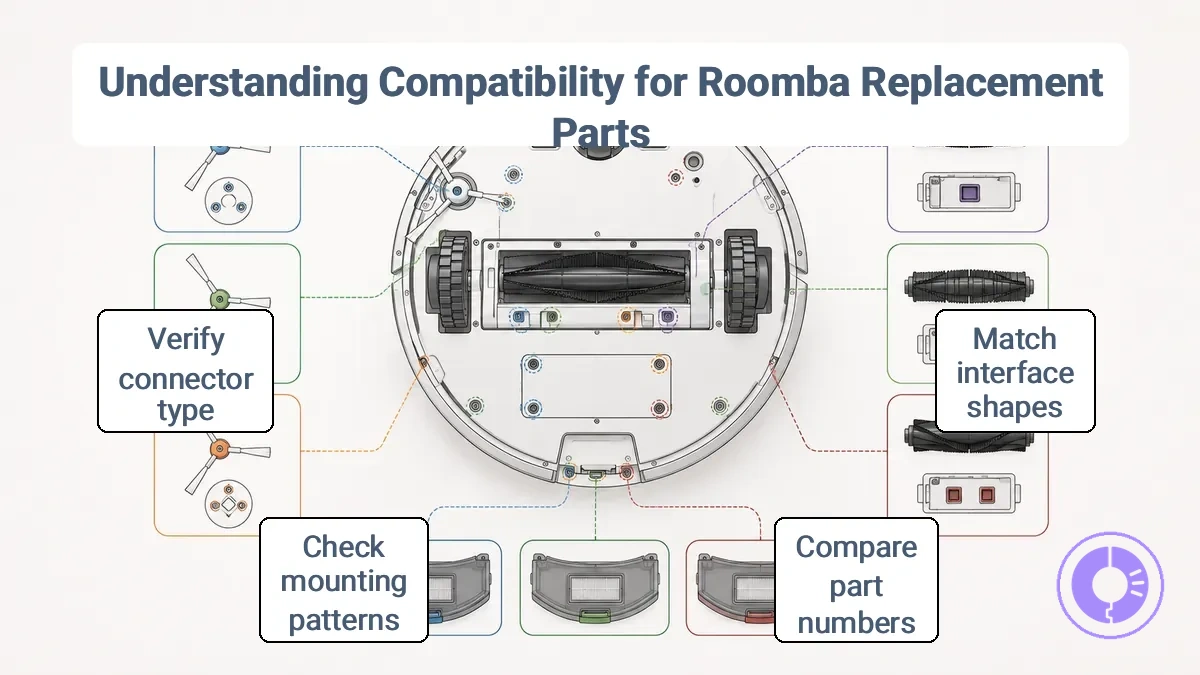
- Compare the part number or label on your existing component with the replacement.
- Confirm that the mounting hole pattern matches your Roomba's chassis.
- Verify the electrical connector type corresponds to your series (e.g., 500/600 vs. 700/800).
High-risk parts — such as side brush modules, cleaning head assemblies, drive wheels, and dust bins — often have series-specific mounting and connectors. These require closer inspection because even slight dimensional differences can prevent proper seating or cause operational issues.
If a part does not line up with the existing mounting points or the connectors do not match, stop and double-check the part version against your Roomba model to avoid damage or poor cleaning.
Model and series matching: the minimum you must confirm before ordering
The specific model and series identifiers on your Roomba determine whether a replacement part fits. Confirming these two identifiers before ordering can prevent the most common wrong-fit purchases.
Use the label on the bottom of the Roomba or the original packaging to find the model and series. Verify these details against the part listing before adding anything to a cart.
- Check the model number against the part's compatibility list.
- Confirm the series name matches the part's stated series range.
- If the part listing says 'check your model number before ordering,' treat that as a required step.
High-risk cues include a part that lists only a series without a model range, or a listing that uses phrases like 'fits most models.' When a part description omits specific model numbers, the risk of receiving an incompatible item increases.
Another red flag is when the connector shape or mounting tab position shown in the product images does not match the shape on your current part.
When the model or series is unclear from the label, stop and look up the full identifier using the parts diagram or the manufacturer's support page. Ordering without this confirmation can lead to a return or a non-functional part.
Part-version cues that change fit: shapes, mounts, and connector differences
Part-version cues — shape, mounting style, and connector type — determine whether a replacement part fits a specific Roomba model or series. These physical cues vary by Roomba model and series, acting as constraints on fit.
Before selecting a replacement part, check these three interface attributes:
- Shape differences — Housing contours and edge profiles can prevent the part from seating correctly in its intended cavity.
- Mounting changes — Clip positions, screw hole locations, and bracket designs may shift between versions, altering attachment points.
- Connector variations — Pin count, pitch, and actuator style on ribbon cables and wiring harnesses determine whether the part can communicate electrically.
Mounting and connector cues often carry the highest risk because they are less visible during visual inspection. A different connector pitch or actuator design can prevent proper latching or electrical contact, while relocated mounting points may require additional adapters that introduce instability. Checking the part label or a model-specific parts diagram helps identify these differences before purchase.
If the replacement part’s physical interface does not match the original in shape, mount, or connector, do not force the fit. Forcing can crack housings, damage connectors, or create electrical faults that affect operation.
Parts Where Compatibility Mistakes Cost the Most: Batteries, Filters, and Modules
Batteries, filters, and modules are high-sensitivity categories requiring stricter verification than other replacement parts. Mismatched parts can cause shorter runtime, poor cleaning, or system errors, so confirm compatibility with series and model.
Verifying a few key details can prevent costly misfits:
- Battery: confirm voltage, connector type, and capacity match the original part specifications.
- Filter: check shape, dimensions, and airflow path to ensure proper sealing in the dust bin.
- Module: verify hardware and software revisions, as mismatches may cause communication failures.
A common high-risk cue for batteries is a different connector shape, which can prevent charging or cause intermittent power loss. For filters, a mismatch in dust bin sealing may allow debris to bypass, reducing airflow and cleaning efficiency. Module mismatches often become apparent only after installation when the robot fails to recognize the part or operates erratically.
A part that fits physically but causes errors or prevents startup may indicate a compatibility issue. Cross-reference the part number against the original or compatibility lists before purchase.
Types of Roomba replacement parts and what each type affects
Roomba replacement parts can be grouped by the system they affect: cleaning, airflow, power, or mobility. Each category has a primary function and common wear indicators, as detailed in the guide on Roomba replacement parts types and what they do. Compatibility should be verified for the specific robot model and series.
Filters and brushes each have distinct wear rates, while battery performance may degrade non-linearly.
The image shows the main Roomba replacement part categories: filter, brush, battery, and wheel.
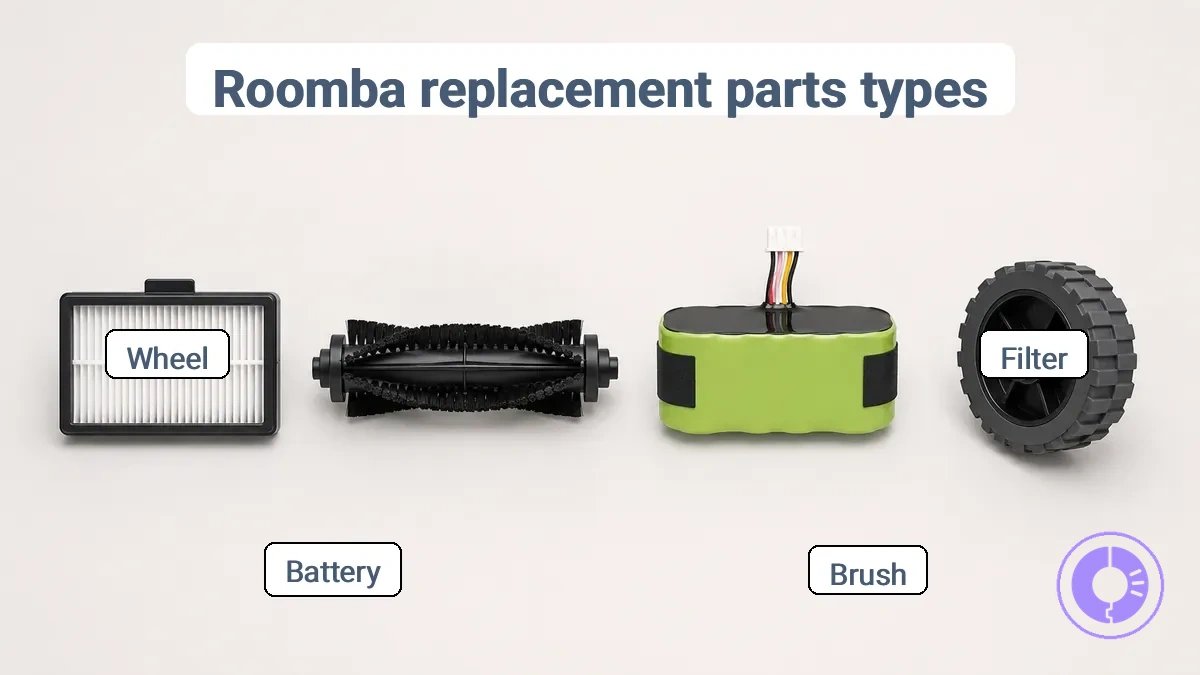
The table groups these part types by the system they affect: cleaning, airflow, power, or mobility. It lists each part's primary function, common wear trigger, and typical symptom when overdue.
| Part type | Primary function | Common wear trigger | Typical symptom when overdue |
|---|---|---|---|
| Filter | Traps fine dust and allergens | Accumulated debris, high-use cycles | Reduced suction, visible dust escaping bin |
| Brushes & rollers | Agitate carpets, sweep debris into bin | Friction against surfaces, hair tangling | Poor pick-up on carpets, streaks on hard floors |
| Side brush | Push debris from edges toward main brushes | Bending or breakage from impacts | Uncleaned edges and corners |
| Battery | Power cleaning cycles | Repeated charge/discharge cycles | Shortened runtime, longer charge times |
| Wheels | Drive movement and navigation | Accumulated hair or debris, worn tread | Robot gets stuck, moves unevenly |
Airflow and dust capture parts: filters and filter frames
The filter’s shape, fit, and condition directly affect how air moves into the dust bin and how effectively particles are trapped. When the filter is clogged or the frame does not fit the model correctly, airflow can drop and pickup may suffer.
A filter that is too thick for its frame can restrict airflow, reducing suction at the bin. A frame that does not latch securely can create gaps that let air bypass the filter, decreasing dust capture.
For Roomba models with a high-efficiency filter, a misfit or worn-out frame can cause the same low-pickup symptoms as a full dust bin. Checking the filter and frame separately helps determine whether the cause is blockage or poor fit. The filter edges should seal against the frame, the frame should clip securely into the bin, and the filter thickness should match the original part.
Agitation and pickup parts: rollers, brushes, and side brushes
Rollers, brushes, and side brushes agitate, sweep, and direct debris toward the suction path, improving pickup and edge performance. The main roller uses rubber treads or bristles to agitate carpet fibers and dislodge dirt, while side brushes extend cleaning reach along edges and corners. When these parts are in good condition, the vacuum can collect debris from multiple surfaces; worn or tangled parts can reduce cleaning effectiveness.
Tangles around the roller or side brush can prevent rotation and lower pickup efficiency.
On hard floors, the rubber roller may need to make contact to grab fine dust, while on carpet, bristle agitation becomes more critical.
Compatible replacement parts for Roomba models help restore these functions when parts wear out or become tangled.
- Poor carpet cleaning → likely worn roller or tangled brush → check for visible wear on rubber treads or bristles
- Edges left dirty → side brush may be damaged or not spinning → verify side brush rotates freely and bristles are intact
- Noise or vibration → possible hair wrap on roller or side brush → examine and remove tangles
Power and runtime parts: batteries and charging-related components
Battery and charging components in a Roomba affect runtime and charging reliability. Choosing compatible replacement parts for the specific model series helps the charging system function correctly and may restore runtime when the original battery is degraded.
A Roomba battery should match the model series in connector type and voltage rating. An incorrect connector can prevent charging, and a mismatched capacity label may lead to shorter runtime or charging errors. The condition of the charging contacts and the battery affects whether the device charges fully and maintains consistent runtime. Using a battery or charger not designed for the specific series may cause intermittent charging or reduced performance.
A charging dock connector that does not maintain proper contact can cause incomplete charging, even with a new battery.
Verifying the model series, connector type, and capacity label lowers the risk of charging problems.
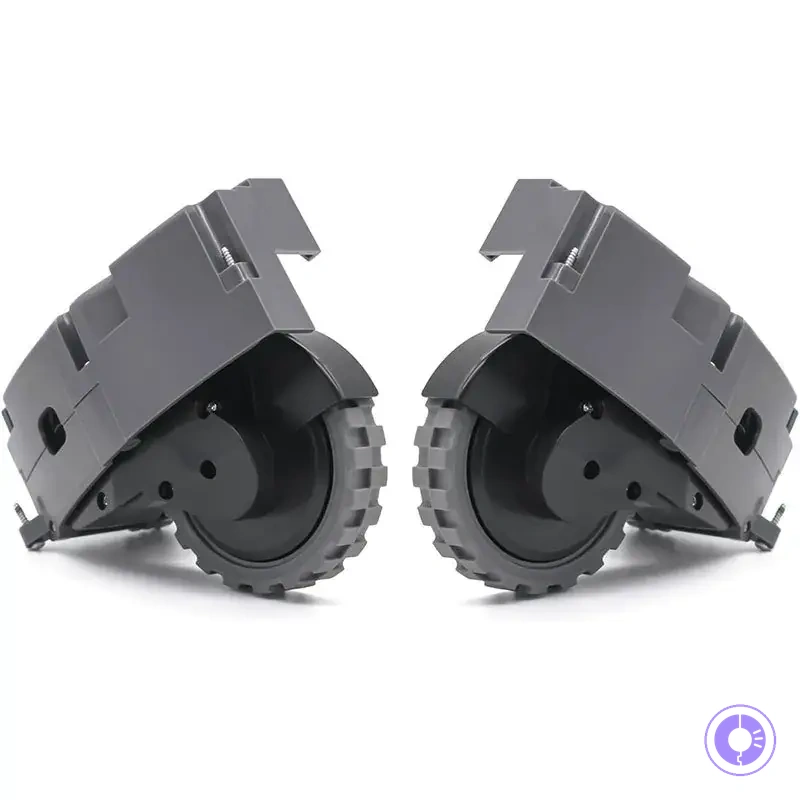
Mobility parts: wheels, tires, and wheel modules
Wheel and tire parts affect traction and rotation consistency. Worn or incompatible parts cause movement problems, while parts in good condition support smooth cleaning.
A wheel module with a worn tire often loses grip on smooth hard floors, leading to slipping or spinning in place. On carpets, insufficient tread depth can reduce traction and cause uneven movement or hesitation. Replacing the wheel assembly with a compatible part for the specific Roomba series and model helps restore proper rotation and cleaning coverage.
Solid tires, common in flat-free wheel modules, can provide reliable rolling on hard floors but may offer less shock absorption on uneven surfaces. Pneumatic tires can improve grip on varied terrain but require more maintenance and are less common in Roomba designs. Choosing the right replacement part depends on the floor types the Roomba typically cleans and the specific symptoms observed.
Common movement issues and their likely causes include:
- Slipping or spinning in place → check wheel tire tread for wear or debris on the wheel module → replace if tread is thin or the module is damaged.
- Stuck movement or hesitation → inspect for obstructions or worn bearings in the wheel assembly → replace the wheel module if rotation is impeded.
- Uneven cleaning patterns → verify that both drive wheels have similar traction and that the tire condition matches across modules → replace mismatched or worn wheels to restore balanced movement.
When symptoms appear, checking the wheel module and tire before replacing other components often resolves the issue quickly.
How to choose the right Roomba replacement parts for your situation
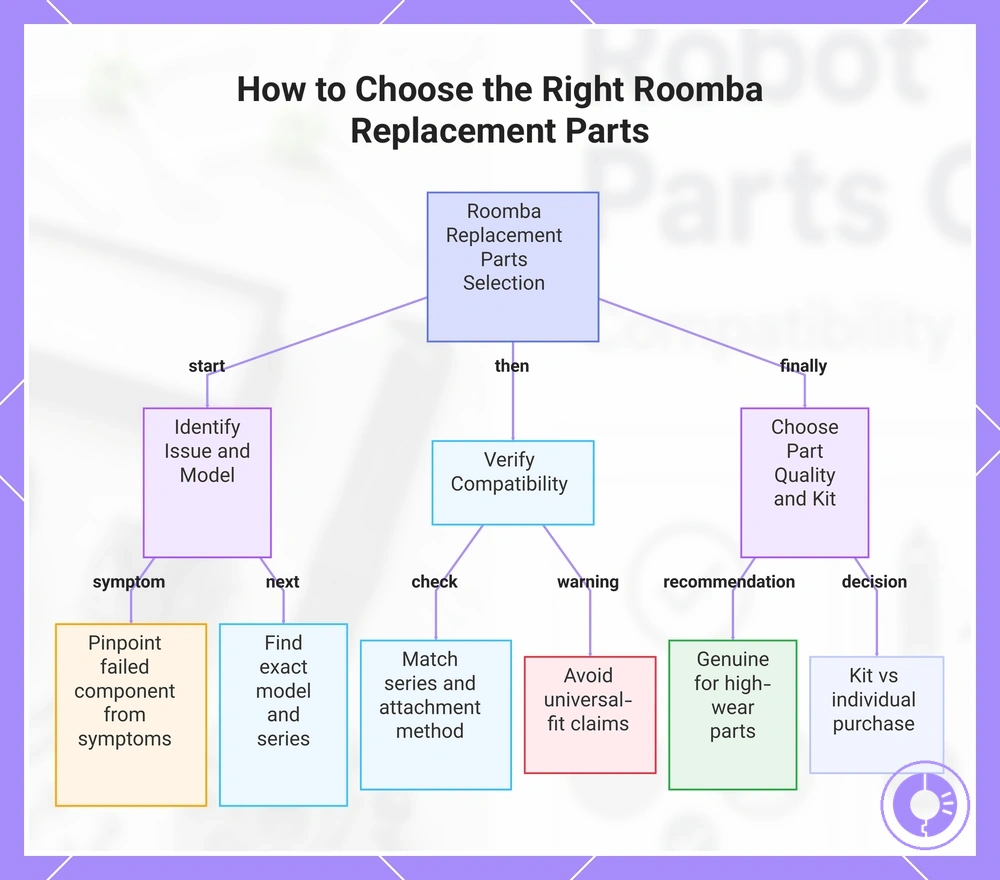
To choose the right Roomba replacement parts, first identify your robot's series and the specific component that needs replacement, then verify compatibility to reduce misfit risk. Each series—such as the 600, 800, e, i, j, or s series—uses parts with distinct shapes, mounting points, and fit tolerances.
When a component shows signs of wear—such as reduced suction from a clogged filter, tangled brushes, or diminished battery life—the needed replacement category becomes clear. For filters and side brushes, compatibility with your series is the primary constraint; most filters are series-specific, while some side brushes may fit multiple series if the attachment method matches. For rollers and cleaning heads, material quality and fit precision often influence whether a genuine part is advisable. User reports suggest that off-brand rollers may increase motor strain over time, so verifying the roller dimensions and material against your model's specifications can help avoid that risk.
Once you confirm the category and compatibility, evaluate build quality—genuine accessories typically offer consistent durability, while some aftermarket options can be adequate for simpler parts like bins or caster wheels. The final decision is whether to replace with a kit (which bundles multiple consumables) or individual parts; a kit can simplify replenishment if several components need replacement at once, but only if all items are compatible with your series.
For instance, a Roomba 675 (600 series) with a torn side brush and a clogged filter: the side brush can be replaced with an aftermarket version that matches the screw-in mount, while the filter must be the 600-series specific shape. Choosing a replenishment kit for the 600 series would cover both needs economically, whereas buying a generic filter from another series would not fit.
Apply this step-by-step decision checklist:
- Identify which component is causing the issue (e.g., weak suction, poor pickup, noise, reduced runtime).
- Verify the exact model and series of your Roomba by checking the label under the robot.
- Confirm compatibility: check the part's listed series and attachment method (e.g., screw-in vs. snap-in side brush).
- Evaluate part quality based on component wear and complexity; genuine parts are often advisable for high-wear components, while aftermarket options may suffice for simpler ones.
- Decide between a replenishment kit (if multiple parts are due) or individual replacements.
- Before purchase, double-check dimensions and mounting points to avoid misfit.
- Avoid parts that claim universal fit without specifying your series.
This chart shows the step-by-step decision process for selecting compatible and quality replacement parts for your Roomba robot vacuum.
Start from the symptom: what performance changes usually point to
When a Roomba's cleaning performance declines, the symptom often points to a worn or clogged component rather than a guaranteed system failure. For cases that don't resolve after basic checks, you can troubleshoot poor cleaning with the right replacements.
How a symptom relates to a part category depends on the Roomba series and model, cleaning frequency, and surface types.
For example, reduced pickup may indicate a filter that needs replacement, while drifting or uneven cleaning often aligns with worn brushes or a worn wheel module. To confirm, check for visible debris clogs, measure brush bristle wear, or spin-test wheel movement.
When symptoms persist after cleaning, map them to part categories before ordering compatible spare parts.
- Not cleaning well → Filter → Remove and inspect for dense dust buildup
- Low pickup on hard floors → Side brush or main brushes → Look for broken bristles or wrap
- Not charging → Battery or charging contacts → Check if contacts are clean and battery age
- Excessive noise → Brushes or wheel module → Listen for grinding; remove hair wrap
- Frequent stuck messages → Wheel assembly → Test wheel drop and spin freely
- Short run time → Battery → Run a battery health test if available
- Uneven coverage → Sensor or navigation → Clean cliff sensors and verify wheel traction
When the symptom persists after cleaning and part checks, consult a model-specific troubleshooting guide rather than attempting internal repairs.
Selection criteria that matter most: fit precision, material quality, and durability
Fit precision, material quality, and durability are the criteria that most reliably separate a compatible Roomba replacement part from one that may fail prematurely. For higher-risk parts such as brush rolls, filters, or battery packs, these criteria can outrank cost because a poor fit or low-grade material often leads to repeat failure or reduced cleaning performance.
- Fit precision: the part matches the specific dimensions and mounting points of the original component for the specific Roomba series and model.
- Material quality: the grade of plastic, rubber, or metal used; lower-grade materials may wear faster or deform under heat.
- Durability: how long the part maintains its function under normal use.
| Part Type | Criterion | Observable Signal | Expected Outcome or Risk |
|---|---|---|---|
| Brush roll | Fit precision | Snug fit without wobble when installed | Can reduce noise and help prevent damage to the brush deck |
| Filter | Material quality | Consistent thickness and edge seal | May maintain suction efficiency and reduce dust bypass |
| Side brush | Durability | Bristles remain stiff after several cleaning cycles | Can extend effective cleaning time before replacement |
| Battery pack | Material quality | Cell casing integrity and connector fit | May reduce risk of swelling or connection failure |
Genuine vs third-party parts: what typically changes in fit, lifespan, and reliability
Genuine and third-party replacement parts for a Roomba tend to differ in fit, lifespan, and reliability because genuine parts follow original design specifications, while aftermarket alternatives often use different materials or quality control standards, with the outcome depending on the specific part category.
Comparing genuine vs third-party replacement parts reveals how a component seats, how long it lasts, and how consistently it performs.
| Attribute | Typical Difference |
|---|---|
| Fit | Genuine parts are designed to match the original mounting points and clearances; third-party parts may require slight adjustments or exhibit minor gaps due to tolerance variation. |
| Lifespan | Genuine parts use materials and bearings specified for the expected duty cycle; aftermarket alternatives can vary widely, with some matching or exceeding original durability and others wearing faster. |
| Reliability | Consistent performance is more predictable with genuine parts because quality control is tied to the original design; third-party reliability depends on the manufacturer and part category, with moving components posing higher risk. |
Third-party parts often perform reliably in non-critical components such as dustbin doors or filters, but moving parts like wheels or brush modules tend to pose higher risk.
For high-wear components such as the main brush motor or battery, the reliability difference can be more pronounced, making it more important to verify the manufacturer's quality control and material specifications. Users may prefer genuine parts for critical moving assemblies to avoid premature failure.
Maintenance Kits vs Individual Parts: When Bundling Makes Sense
Whether a maintenance kit or individual parts offer better value for your Roomba depends on whether the bundled items match the components you actually need. A kit can reduce per-part cost when multiple items are due for replacement, but it may include pieces you don't need yet, creating a trade-off between convenience and potential waste.
Compare the items included in a kit with what your Roomba requires. Kits group compatible parts for a series; individual parts allow component-specific selection.
- Kit advantages: Pre-selected compatibility within a series, single purchase, often lower per-part cost when multiple items are needed.
- Kit disadvantages: May include parts not yet due, leading to unused inventory and higher upfront expense.
- Individual part advantages: Buy exactly the component required, helping reduce waste and control spending per service.
- Individual part disadvantages: Need to verify compatibility across model variations, and per-part pricing can be higher than the bundled equivalent.
When multiple components need replacement, a multi-pack kit simplifies ordering; for single repairs, buying individually avoids unused items.
Replacement planning for Roomba parts without overbuying
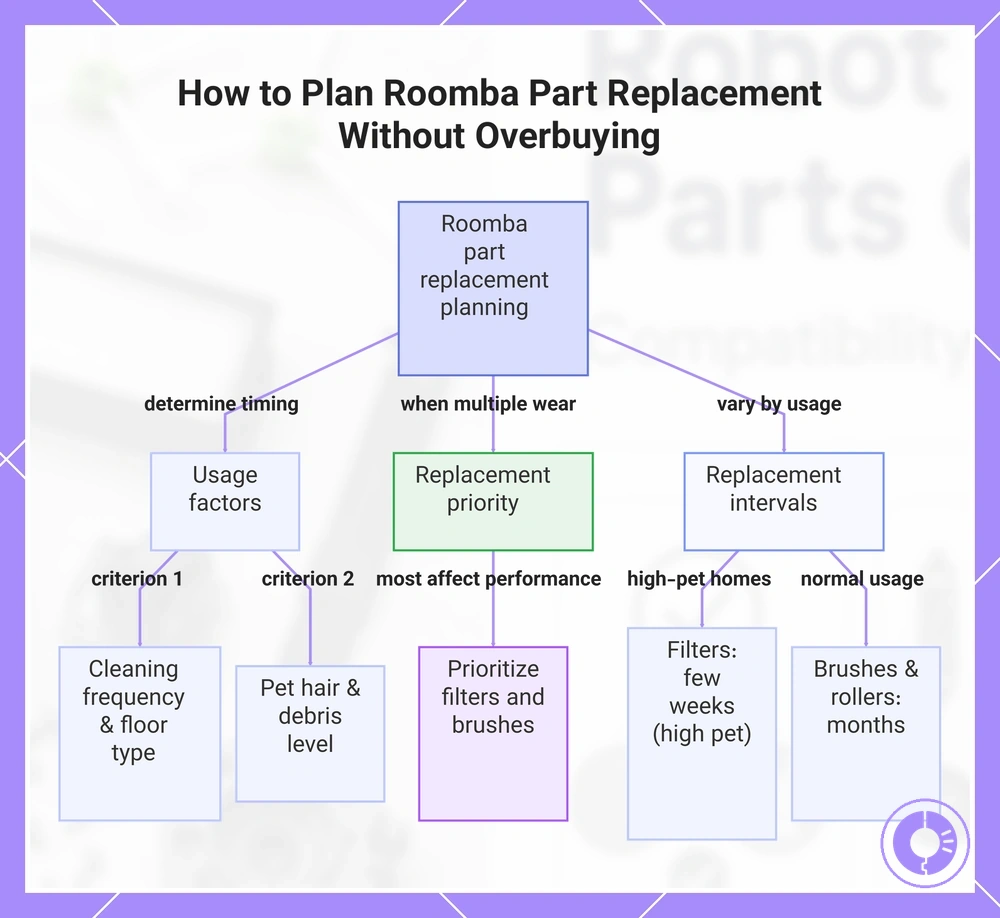
Replacement planning for Roomba parts depends on usage, not a fixed schedule.
A few criteria determine both cleaning performance and replacement timing; these are detailed in the replacement schedule for common parts.
Track the following to guide your replacement timing:
- Usage frequency (number of cleaning runs per week)
- Floor surfaces (hardwood, carpet, tile)
- Pet hair volume
- Debris levels (dust, sand, tracked-in dirt)
When multiple parts show wear at once, prioritize components that most affect cleaning performance—typically filters and brushes.
Replacement intervals depend on usage. Filters in high-pet households may need attention every few weeks, while brushes and rollers often last several months. Battery replacement varies more widely with charge cycles and daily run time.
This chart shows the key usage factors, replacement priority, and interval estimates for planning Roomba part replacements without overbuying.
Replacement Intervals as Ranges: What Makes Parts Wear Faster or Slower
Replacement intervals for Roomba parts are ranges because wear depends on usage frequency, floor type, and debris such as pet hair. The same part may need replacement at different times depending on the home.
More cleaning cycles increase mechanical friction and debris buildup on brushes, filters, and wheels. Battery life shortens with each charge cycle, while dust and hair speed up filter clogging.
Several factors shorten or extend part life:
- Usage frequency — more cycles lead to faster brush bristle wear and battery drain; replace brushes when bristles appear frayed even after cleaning.
- Floor type — carpets create more resistance than hard floors, increasing brush and motor strain; replace side brushes earlier when buildup persists on carpeted homes.
- Pet hair and long hair — hair wraps around brushes and axles, causing binding and premature wear; replace when hair wraps remain after cleaning.
- Debris volume — heavier dirt loads can clog filters and reduce suction faster; replace filters when airflow drops after vacuuming.
- Cleaning routine — regularly removing hair and debris from brushes extends their useful life; replace parts when cleaning no longer restores function.
Simple Upkeep That Extends Part Life: Cleaning Tools, Schedules, and Handling
Simple upkeep that extends part life begins with routine cleaning of the brush, filter, and bin. These actions help prevent clogging and can reduce motor strain. The aim is to slow wear, not to restore worn parts.
Four simple steps make up a short upkeep routine. Each step targets a key component and helps you spot when replacement is needed.
- Remove the brush and clean off hair and debris with the brush cleaning tool. This can reduce tangle buildup and can help keep the brush spinning freely. When bristles become cracked or worn despite regular cleaning, the brush needs replacement.
- Wipe the filter surface and tap out loose dust. Clean filters help maintain airflow and can reduce motor strain. If tap cleaning no longer restores airflow or the filter appears frayed, it is time to replace it.
- Empty the bin after each use. A full bin can reduce suction and can force the machine to work harder. A bin that still feels heavy after emptying may signal a clog deeper in the path, but routine emptying keeps normal wear in check.
- Check the roller for wrap and remove any threads. Regular checks can prevent jams that can bend the roller axle. When the roller no longer turns freely even after cleaning, replacement is indicated.
When these signs appear, the part has reached its service limit. Replacement is the appropriate next step. Regular upkeep can reduce premature wear, but it cannot undo damage that has already occurred.
Comparing offers and choosing where to buy without misfit risk
When comparing offers for Roomba replacement parts, prioritize those that clearly indicate compatibility and what the pack contains, not the headline price or promotional language. Focus on offers that specify model series, dimensions, or connector type to reduce misfit risk.
When evaluating a listing, look for these details that lower misfit risk:
- Lists the specific Roomba model or series (e.g., 600, 800, i-series, j-series)
- States the part dimensions or shape
- Shows the connector type (e.g., 2-pin, 4-pin, clip-on)
- Includes clear photos that match the description
- Specifies the quantity in the bundle or multi-pack
- Clarifies whether the part is OEM, compatible, or off-brand
- Provides a model compatibility chart or reference number
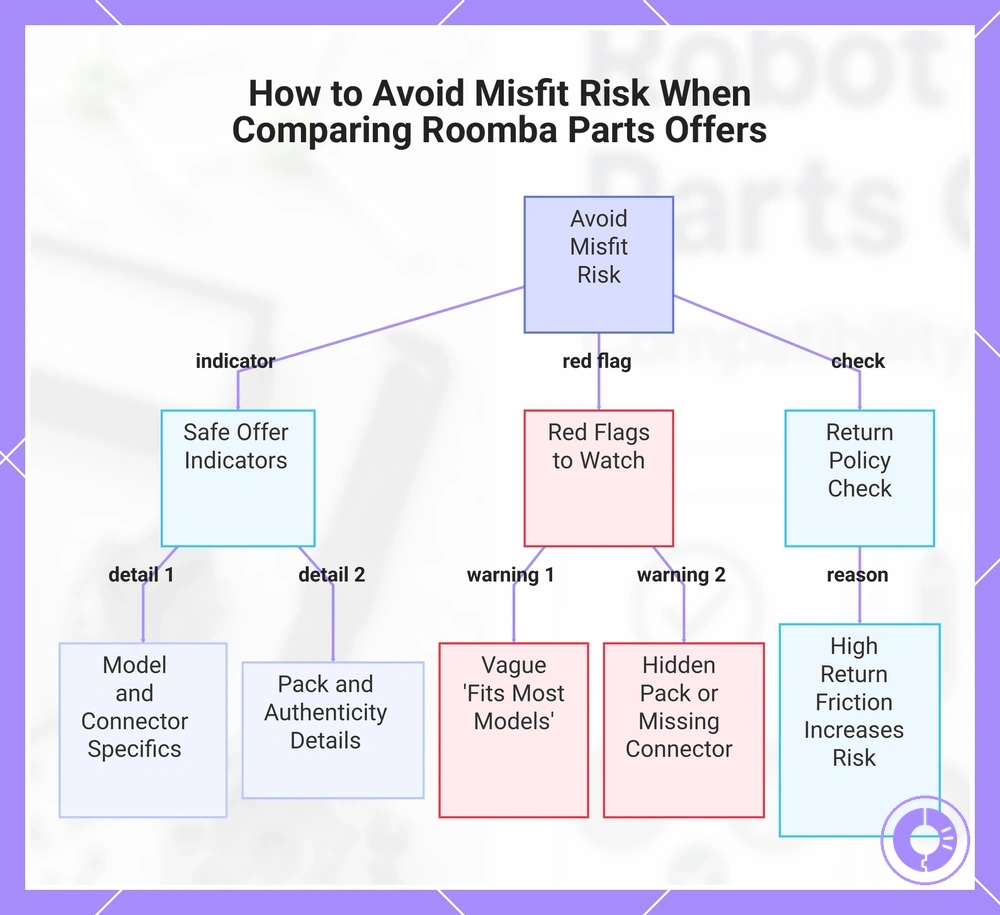
Watch out for listings that use vague terms like “fits most models” without a specific list, hide the pack contents behind generic wording, or omit the connector type. Check the seller’s return terms before ordering. High return friction increases misfit risk if the part does not work.
A safer offer lists specific model series, dimensions, and connector type, rather than relying on marketing claims alone.
The products below are useful examples for comparing available options. Before buying, check that the compatibility criteria, key features, and product details match your needs.
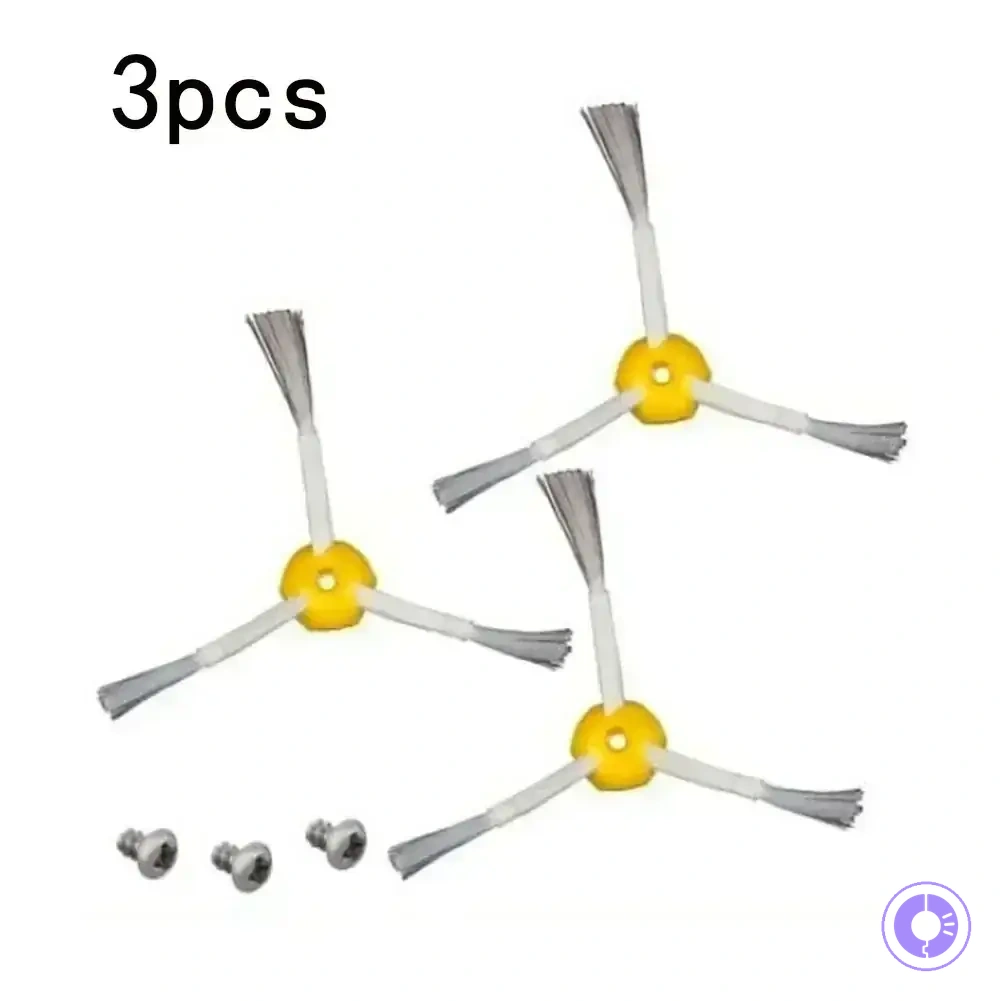
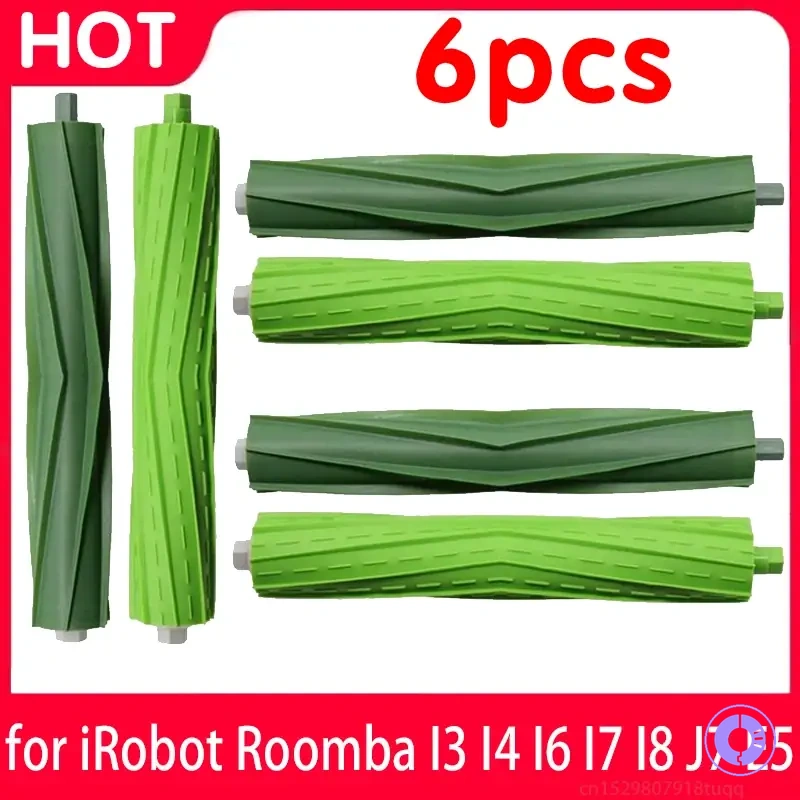
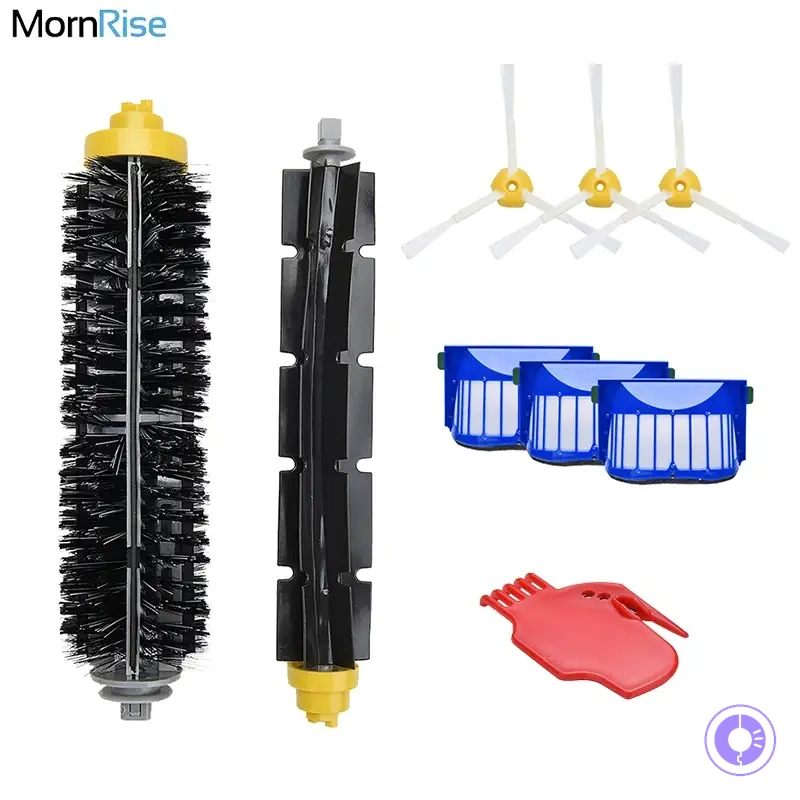
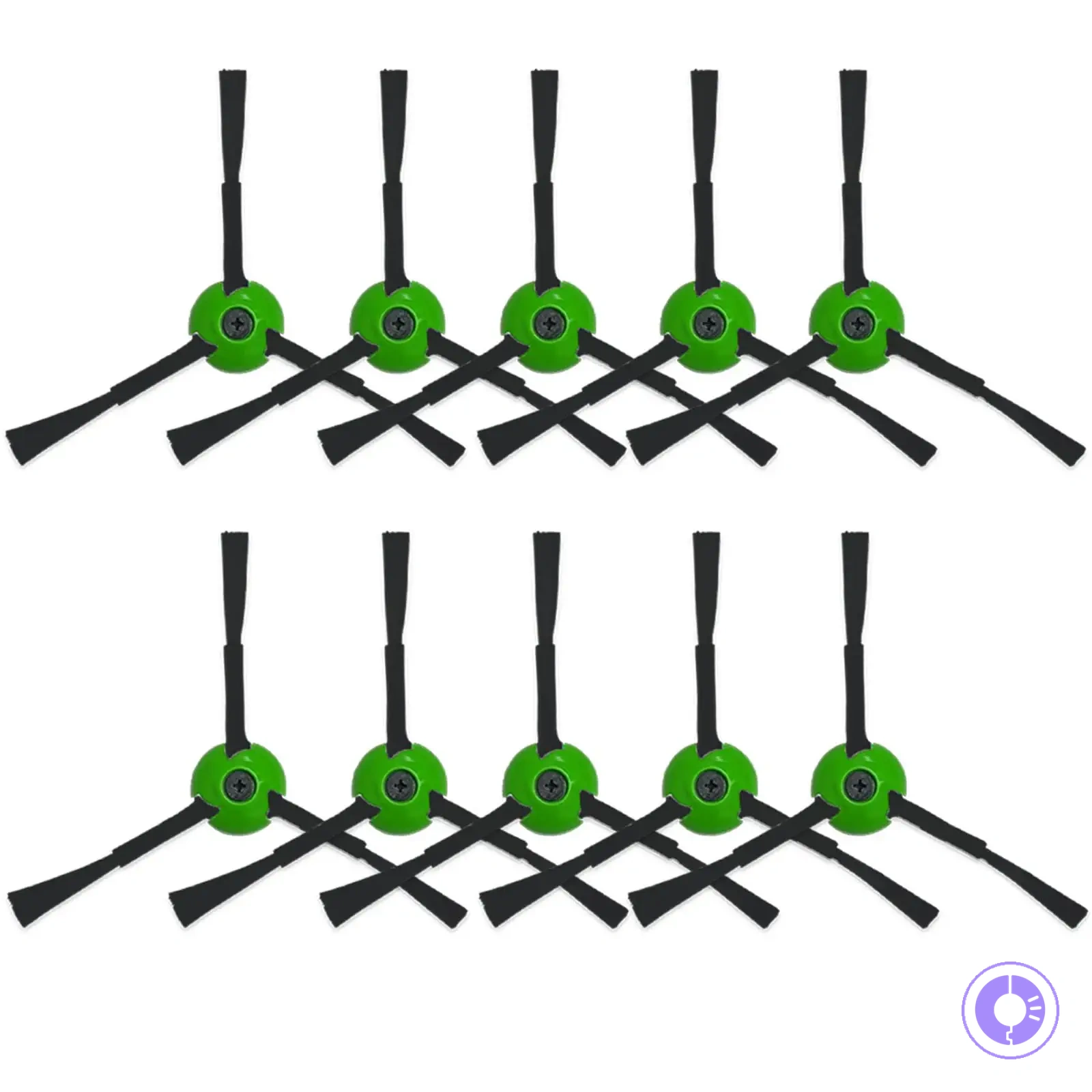
This chart shows the key indicators of a safe offer, red flags to watch, and the importance of checking return policy to avoid compatibility misfits when buying Roomba replacement parts.
Offer comparison signals: compatibility claims, pack contents, and return friction
When comparing Roomba replacement parts, three proof points reduce misfit risk: compatibility claims, verifiable pack contents, and return conditions.
- Confirm the specific compatible model numbers listed — broad series names may still miss mounting differences.
- Verify the claimed number and type of each item in the pack — off-brand packs may omit parts.
- Review the return conditions; some sellers require the part unopened, limiting the value of a return if the part is incompatible.
Listings that skip model-specific compatibility details, omit individual pack contents, or use vague return language may signal higher misfit risk.
What to document before checkout: model details and part identifiers
Before you order, note your Roomba model and the part identifier so you can compare them against listing details and avoid misorders.
Use this checklist to record the necessary details before checking a listing:
- Note the full model number from the bottom label (it usually indicates the series).
- Identify the part name or assembly you need (e.g., side brush or filter).
- Locate the original part identifier on the component or in the manual, and note any revision letters that affect fit.
- Confirm that the part identifier matches a listed compatible in the listing.
- Take a screenshot of the listing showing the part identifier and compatibility claim.
- Note any condition details, such as side brush shape or connector type.
If any information is missing or conflicts with the listing, pause and verify with the seller or manufacturer. Do not rely on photos alone or presume compatibility; if you cannot confirm a match, do not order yet.
Roomba replacement parts FAQ for common fit and lifespan questions
Here are quick answers to common questions about Roomba replacement part fit and lifespan. They cover compatibility checks and typical durability ranges.
How long do Roomba replacement parts typically last? Part lifespan depends on usage frequency and environment. Brushes and filters may show wear after several months, and replacement is often needed when shedding or reduced performance becomes noticeable.
Can I use replacement parts from third-party sellers? Compatibility varies by model and series. Some third-party parts may fit physical dimensions, but performance and longevity can differ. Comparing materials and reviews is helpful before choosing.
Should I wait for parts to fail before replacing them? You do not need to wait for complete failure. Replacing parts when you notice reduced cleaning efficiency or visible wear, such as bent bristles or clogged filters, helps maintain consistent performance.
How do I know if a replacement part is compatible with my Roomba model? Fit depends on the specific series and model number. Check the part description for supported models and compare physical shape.
When should I replace the filter or brushes? Replace when you notice reduced suction or hair wrap. Cleaning between replacements can extend their useful life.
These answers help confirm fit and lifespan for your Roomba model. Use them to verify compatibility and expected durability.
The products below are useful examples for comparing available options. Before buying, check that the compatibility criteria, key features, and product details match your needs.
This chart summarizes common questions about Roomba replacement parts, including compatibility checks, third-party considerations, and when to replace parts based on wear or performance loss.
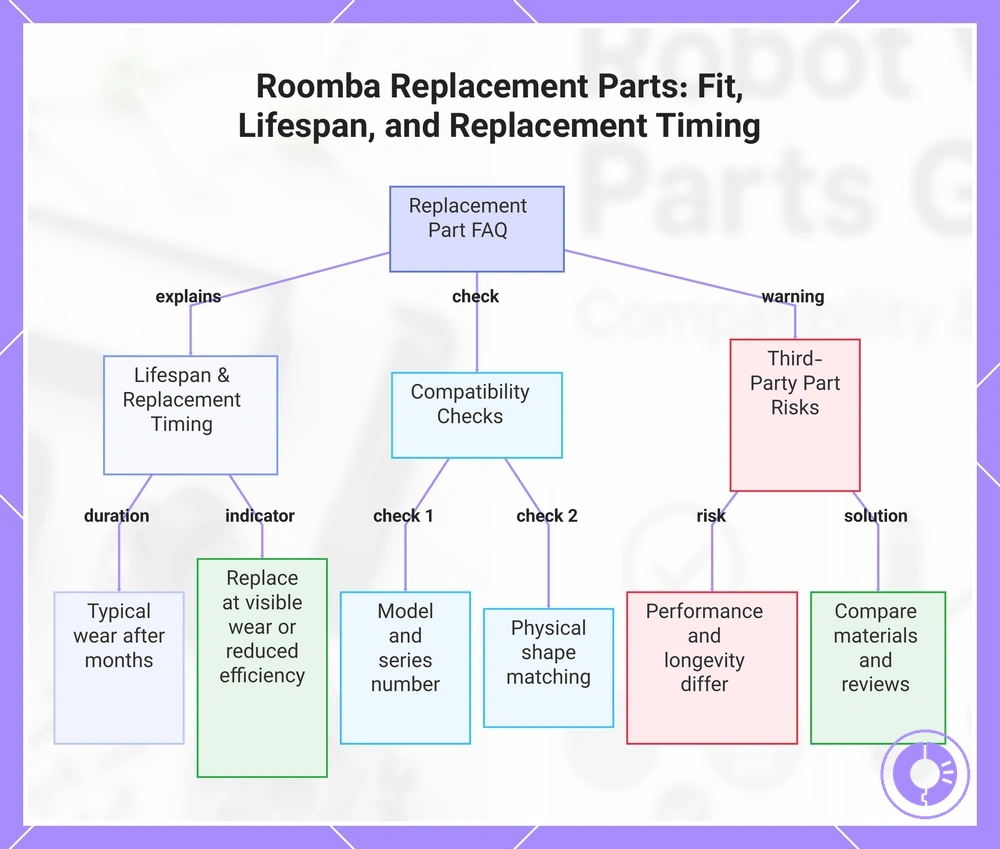
How long Roomba replacement parts typically last and what changes that lifespan
The lifespan of Roomba replacement parts varies within a range, depending on how often the robot is used and the specific part.
Key factors that affect lifespan include:
- Usage frequency → more frequent cleaning tends to wear brushes and filters faster.
- Pet hair and debris type → heavy debris or hair tangles can clog filters and strain the battery more quickly.
Rather than following a fixed calendar schedule, performance cues such as reduced suction, shorter run times, or unusual noises can indicate when a part needs replacement.
How to Confirm Which Roomba Model You Have When Labels Are Unclear
To confirm your Roomba model when the label is unclear, check the serial number inside the dust bin or the device info in the iRobot app. These identifiers are usually enough to confirm the exact model for ordering replacement parts.
If these identifiers are incomplete, compare physical features with known model ranges.
- Check the serial number: Remove the dust bin and flip the robot over. The serial number typically includes a combination of letters and digits that can help identify the model number.
- Check the iRobot app: Open the app and access the device information screen to find model details.
- Compare with known model ranges: Once you have a number or series, compare it with available model lists or references to narrow down the model.
- Cross-check multiple cues: Verify the model by matching the series, physical features, and any available documentation. This reduces uncertainty when information is incomplete.
- Pause before ordering: If you are still uncertain after checking these sources, take extra time to confirm before buying replacement parts. Using the wrong model may lead to compatibility issues.