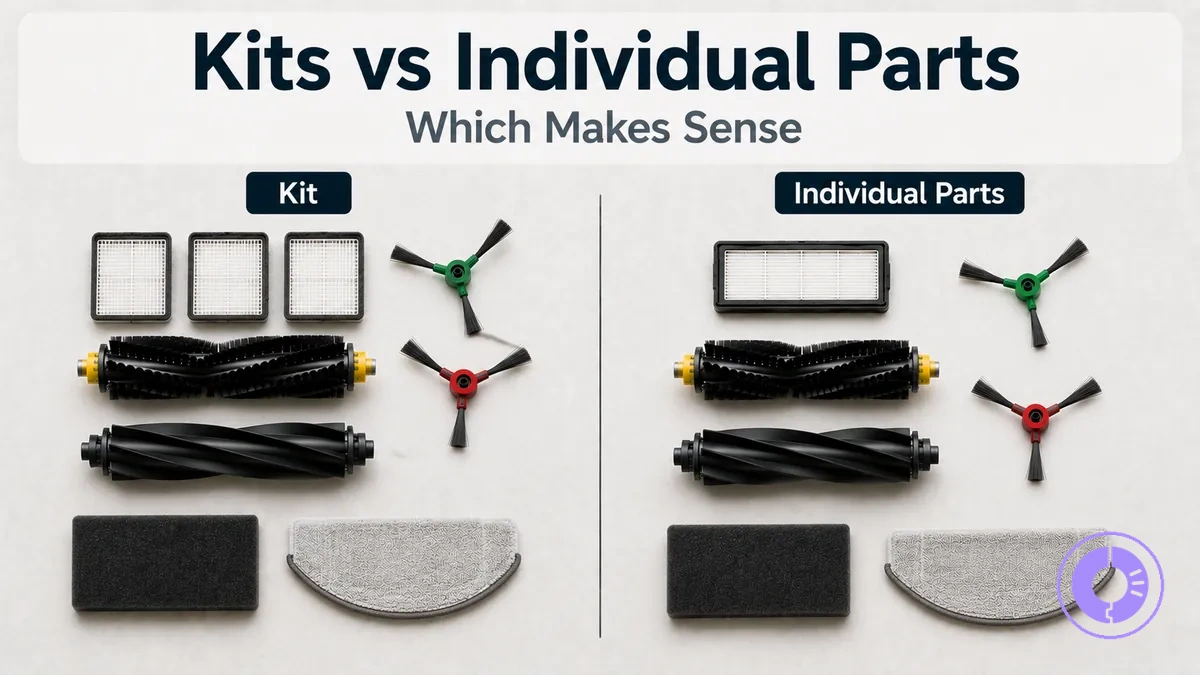
Roomba replacement parts kits vs individual parts: cost-value trade-offs
Roomba replacement parts kits and individual parts involve a cost-value trade-off shaped by maintenance timing, fit confidence, and whether you buy a multipack or single parts as each item wears out. The decision is not about brand loyalty or upfront savings but about aligning purchase format with actual replacement needs.
The value of each format depends on replacement timing, fit confidence, part quality, and cost per cycle — not just the sticker price. Value shifts when replacements cluster versus when need is isolated. These four decision lenses help evaluate which format fits your situation:
- Current replacement needs for your Roomba
- Upcoming replacements due within the next maintenance cycle
- Fit risk with your specific model series and revision
- Reorder friction for recurring part buys
This page compares purchase formats and does not replace model identification or a full compatibility checklist.
Replenishment Kits, Maintenance Kits, and Multipacks in Roomba Replacement Parts
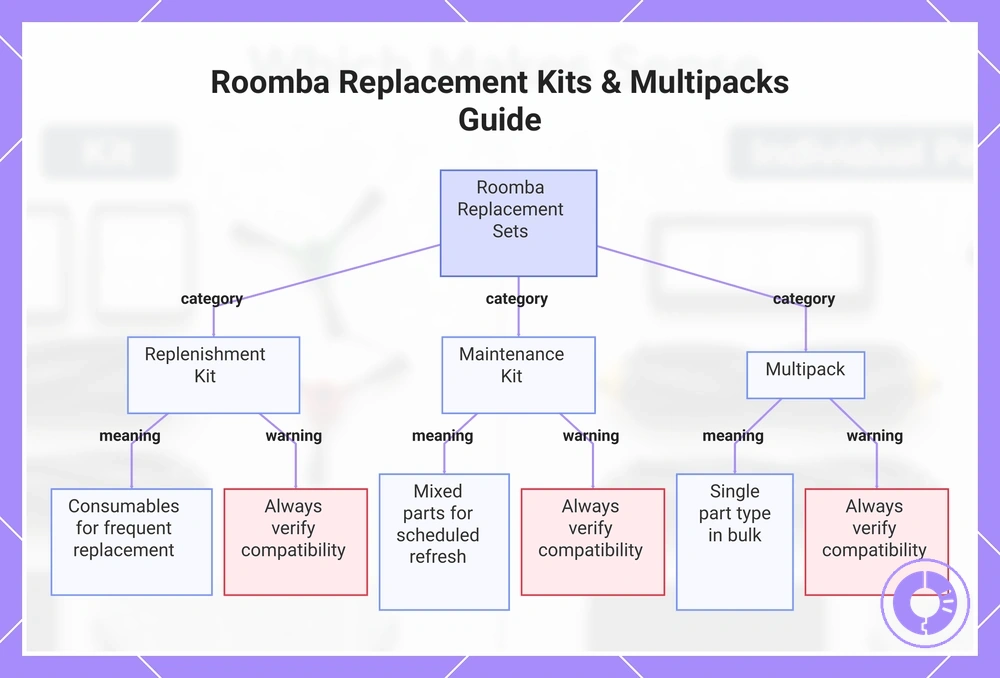
Replenishment kits, maintenance kits, and multipacks are packaged sets of Roomba replacement parts in common formats. The label indicates what each set contains and its intended use, but it does not guarantee fit with a specific model or series.
Term ≠ guarantee: a multipack usually contains multiple units of a single part type, often in a larger pack size, while a kit combines different part types for a scheduled refresh. Multipack = one part type; Kit = mixed part types. Fit varies by kit/model and part revision, so always verify compatibility through the Roomba replacement parts hub.
- Replenishment kit: usually includes a set of consumables like filters, edge-sweeping brushes, and rubber brushes; usually bought when multiple consumables are due for frequent replacement.
- Maintenance kit: usually includes mixed parts (filters, brushes, mop pads) for a full scheduled refresh; usually bought when the robot nears its maintenance interval.
- Multipack: usually includes multiple units of a single part type, such as a 3-pack of filters; usually bought when only one consumable type needs replenishment.
This chart shows the three main types of Roomba replacement part sets, their typical contents and use, and the importance of verifying compatibility.
What a Roomba replacement parts kit typically includes and what it usually does not
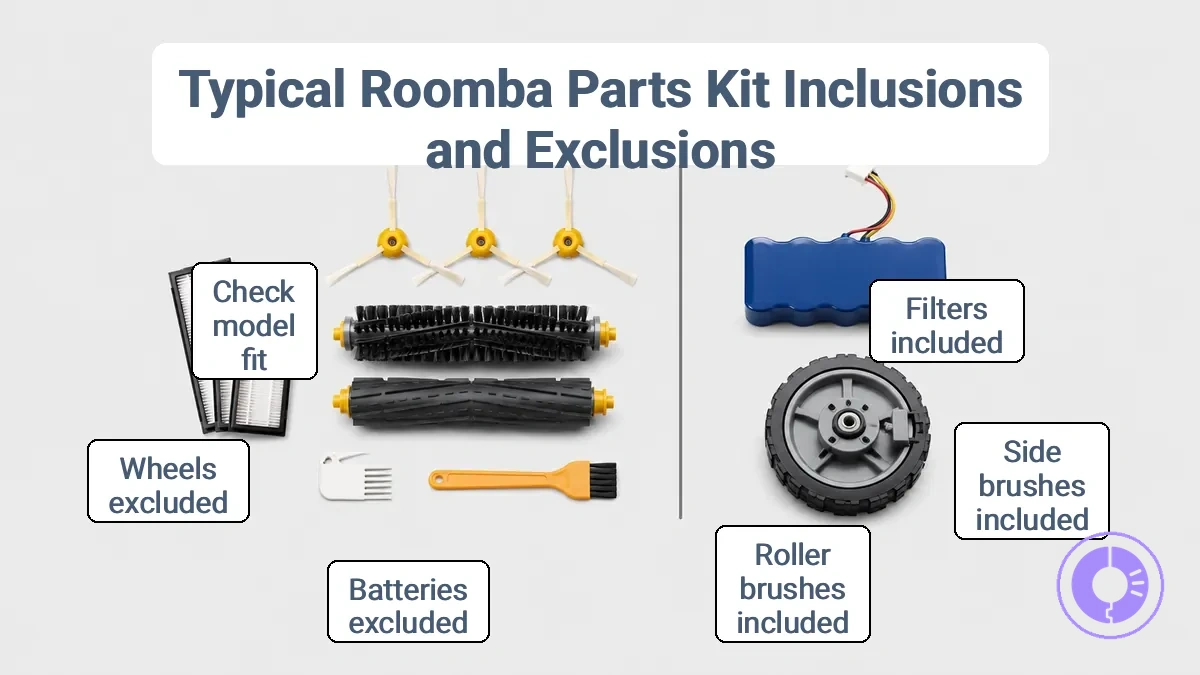
A Roomba replacement parts kit typically includes consumable items like filters and brushes, and usually excludes non-consumable parts such as batteries or wheels. The exact contents depend on the kit's intended generation, seller configuration, model revision, and pack size; the table organizes what is commonly included and what is often excluded or inconsistent.
This image labels the common part categories found in a typical kit and notes items that may be missing or model-specific:
| Commonly included | Often excluded or inconsistent |
|---|---|
| High-efficiency filters (multiple pack) | Batteries (not a consumable item) |
| Edge-sweeping side brushes (multi-pack) | Wheels or casters (not regularly replaced) |
| Dual multi-surface rubber roller brushes (one or two pairs) | Bumpers, sensors, or body components |
| Vacuum bags (for self-emptying base models, if applicable) | Dustbin assemblies or filters for older series |
| Mop pads (for Roomba Combo models, when included) | Specific brush shapes only found in newer models |
| Cleaning tool or screwdriver (sometimes) | Model-specific brackets or adapters |
A kit offers good value when you will use most of its items. For example, a filter multipack combined with roller brush sets is a typical high-usage bundle, while a kit that includes mop pads may offer poor value if they are not compatible with your model. Before buying, check the model revision and part compatibility to avoid unwanted extras. One caution: even within the same series, some kits may omit vacuum bags or side brushes suitable for your specific version, so confirm each item's fit.
Consumables most bundles combine: filters, edge-sweeping brushes, and roller brush sets
Bundles of filters, edge-sweeping brushes, and roller brush sets are often sold together because their similar wear rates make multipacks a practical way to maintain consistent performance. The pages on filters: choose and replace and brushes and rollers: choose and replace provide detailed guidance on selecting and replacing individual parts. A common pitfall is buying the wrong version—this creates waste and reduces the bundle's value; verify that the bundle matches your model's wear rate and fit.
- Version/shape – confirm the filter, edge-sweeping brush, and roller brush set match the exact shape and mounting points of your model; mismatched components may not seat correctly.
- Quantity – check if the pack provides enough replacements for the expected wear period; a larger kit may offer better value if multiple components need frequent replacement.
- Wear-rate match – ensure the included items have similar replacement cadences; otherwise, you may end up discarding unused parts when one wears out faster.
- Fit cue – check model compatibility lists provided by the manufacturer to confirm the bundle fits your unit.
- Waste risk – if the bundle forces you to replace components before they need replacement, the per-unit savings may be offset by premature disposal.
Extras and exclusions that change value: tools, screws, and model-specific components
Extras are non-essential items in a replacement parts kit whose value depends on whether they provide ongoing convenience or only a one-time, low-impact benefit.
Adds real convenience:
- Allen wrenches – allow immediate assembly without searching for tools – helpful when you lack the correct hex key for the fasteners in the kit.
- Extra screws – provide replacements for stripped or missing fasteners – matters when original screws are damaged during removal or when the kit uses screws different from the original.
- Small cable ties or clips – help manage wiring during reassembly – useful when routing cables in tight compartments.
- Pre-cut thermal pads or adhesive strips – enable proper heat transfer without cutting – saves time if the original pads are worn or misaligned.
Often low-impact:
- Extra fasteners intended for specific models – may not match your unit’s thread pattern or head type – only relevant if you own that exact model and need spares beyond the kit’s requirements.
- Accessories such as decorative covers or mounting brackets – add cosmetic or organizational convenience but typically do not affect operation – their value is one-time and typically does not reduce ongoing maintenance cost.
- Minor tools supplied as add-ons (e.g., plastic pry bars) – can assist with initial installation but are often redundant if you already own basic tools – their convenience is limited to a single use.
- Model-specific spacers or washers – may be required for fit in certain revisions, but if your unit does not require them, they add no benefit – verify compatibility before assuming they are needed.
Caution: Extras typically do not fix fit or quality problems.
How to compare a kit price to buying individual Roomba parts
To compare a kit price to buying individual Roomba parts, convert both purchase formats into like-for-like units. The method that follows normalizes the offers, letting you compare unit cost and cost per replacement cycle directly.
The diagram shows how to normalize offers when comparing a kit price to buying individual Roomba parts.
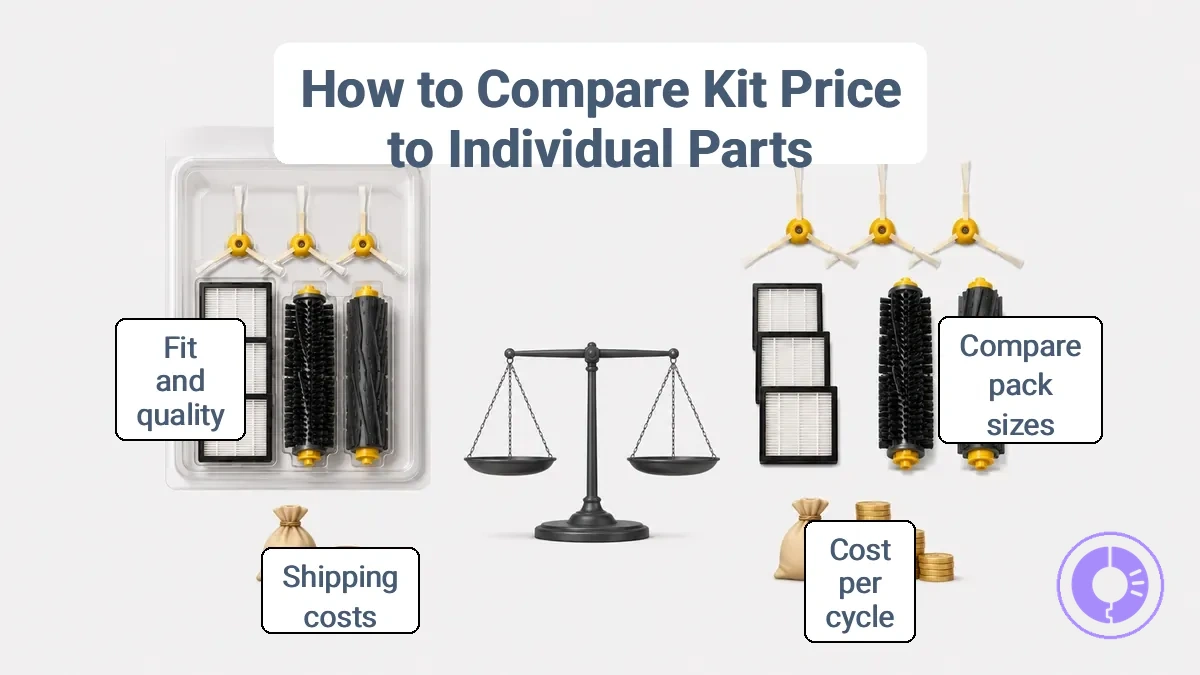
- Compare the price of each option based on pack size. For the kit, divide its price by the number of individual parts it contains to get a per-unit cost. For single parts, use the listed price per item.
- Estimate how many replacement cycles each purchase covers. A kit, for example, that includes three filters, two side brushes, and one set of rollers may last multiple service sessions, while a single part typically covers only one cycle.
- Divide the total price by the number of cycles the parts will serve to get the cost per cycle. This gives a like-for-like metric across different purchase formats.
- Factor in shipping costs if you reorder frequently. Repeated small orders for single parts can add hidden costs and downtime, which may make a kit more convenient even if its per-unit price is similar.
In a scenario where only the filter needs replacement in the next month, buying a single filter costs less immediately than purchasing a kit that also includes brushes you will not use for several cycles. In that case, the cost per cycle favors the single part. But when the side brushes, rollers, and filter are all due soon, a kit may offer better per-cycle value despite a higher upfront price.
- When math is enough: The comparison method works well for parts with similar fit and quality expectations.
- When fit/quality must gate the decision: If a kit uses off-brand parts that may differ in material or durability, the lower cost per cycle may not translate to real value if the parts wear faster or affect performance. Verify fit and quality before letting price math decide.
Cost per replacement cycle using your real replacement timing
Cost per replacement cycle divides the total spend on a specific part type by the number of maintenance intervals that part covers. By factoring in replacement frequency, this metric provides a more accurate view of long-term expense than sticker price. It helps you compare pack sizes or kits to see which delivers better value over multiple intervals.
A generic filter pack with two units, each with a replacement window of a few months, covers multiple intervals. Divide the pack price by the cycles covered to estimate the cost per cycle. Because replacement timing varies with usage and environment, your interval range may differ. Use a replacement schedule to plan what you need to align your purchases with your real timing.
Bundle discount versus overbuy waste, shipping, and reorder friction
A bundle discount can be erased by non-obvious costs that add up over time. When you buy individual parts, factors such as overbuy, unused extras, repeat shipping, and downtime affect the total cost. Friction matters most when you replace often. Even if the unit price looks similar, the cumulative effect of these friction factors often makes a kit the more cost-effective choice.
- Overbuy waste: purchasing more individual units than needed leaves unused extras with no benefit. Matters most when you only need to replace a few components.
- Storage dead stock: unused extras occupy space and may become obsolete or degrade. Matters most when parts are model-specific or have a shelf life.
- Misfit risk: ordering the wrong individual part can lead to returns, extra shipping, and repair delays. Matters most when compatibility is unclear.
- Shipping repetition: each separate order incurs its own shipping fees and processing time. Matters most when you replace parts frequently.
- Reorder friction: forgetting or delaying a reorder of another required part extends downtime. Matters most when replacements are spread across multiple purchases.
- Downtime from waiting: incomplete repairs increase wait time when a needed part is missing. Matters most when the appliance is used daily.
When a kit is the better value for Roomba upkeep
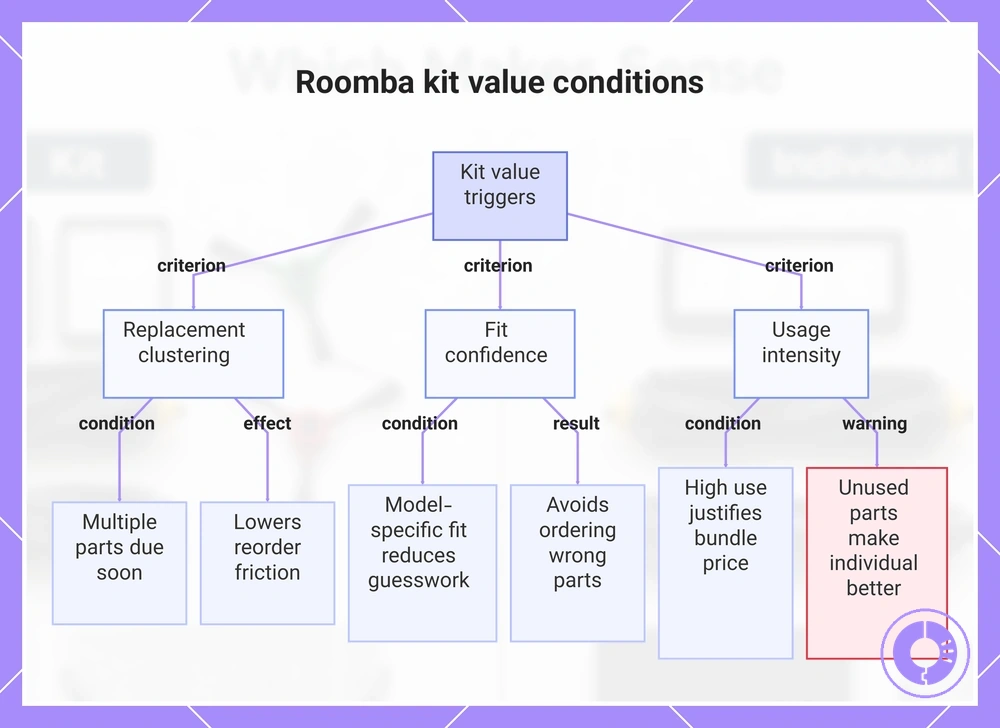
A kit offers better value when multiple replacements due soon cluster together, bundling them at a lower per-item cost. These criteria can signal when the kit improves cost-value.
- Replacement clustering: A daily user on medium-pile carpet may need new filters and rubber brushes every few months, making a pre-grouped kit a convenient match.
- Fit confidence: A kit that specifies exact model compatibility increases fit confidence and reduces waste from ordering the wrong part. For a Roomba i7 owner unsure about filter fit, a model-specific kit reduces guesswork.
- Reorder friction: Buying a kit once instead of tracking separate reorder dates for each item can lower reorder friction. A user who frequently forgets to replace filters may find that a single kit purchase keeps spares on hand without repeated ordering.
- Usage intensity: A household with two shedding dogs will cycle through brushes and filters quickly, making the bundled price worthwhile; a light-use home may not exhaust the kit before needing only one part.
Kit value rises when you will use most items. When the kit contains parts you do not need—such as a filter type that does not match your model or a brush size you rarely replace—individual purchases may be more efficient, so verify model fit and schedule alignment to maintain fit confidence as a gate for value.
This chart shows the key conditions that signal when a bundled kit offers better cost-value for Roomba upkeep, including replacement clustering, fit confidence, usage intensity, and the warning about unused parts.
Routine maintenance where the same consumables run out repeatedly
During routine maintenance, the same consumable often runs out repeatedly, making a multipack of that item more practical than a general kit. A kit that includes that consumable along with related parts may be useful only when the other components also tend to wear at a similar pace. The following signals indicate which purchase format fits.
- You frequently need the same filter across multiple machines in routine maintenance → a multipack of that filter simplifies reordering and reduces reorder frequency.
- One gasket in a set fails repeatedly while others remain intact → a multipack of that specific gasket is more practical than a full replacement kit.
- The same lubricant cartridge runs out frequently in a high-use station → a multipack of that lubricant helps maintain supply without frequent reorder.
- Several consumables in a service kit tend to wear together (e.g., air and oil filters) → a kit that bundles them matches the usage pattern.
- A cleaning abrasive is consumed quickly in frequent tasks → a multipack of that abrasive avoids stocking extra items from a kit.
Select the correct version—using a multipack of the wrong specification may waste the entire supply.
Catching up after deferred maintenance when multiple parts are due soon
Deferred maintenance from skipped refreshes often causes clustered wear on filters, brushes, and extractors, so a kit can be a practical way to catch up when multiple parts are due soon. However, not every cleaning decline signals that all parts are overdue; isolated issues may still be at play.
Cluster check — verify multiple consumables are actually due:
- Filter: Clogged or visibly dirty may indicate deferred filter replacement.
- Main brushes: Worn bristles or reduced pickup may indicate overdue brush replacement.
- Side brush: Bent or missing bristles may indicate need for fresh side brush.
- Extractors (if applicable): Cracks or reduced agitation may suggest replacement is due.
- Sensors: Frequent obstacle bumps may indicate dirty sensors, not worn parts.
If only one symptom is present, a single part may be enough.
Stocking spares for high-use homes where downtime is costly
Stocking spares for high-use homes makes sense when replacement frequency is high and fit is certain—a fit-gated approach—but can turn into waste if parts sit unused due to model changes or wrong fit.
Pros:
- Frequent failures: a backup part can reduce costly downtime when a component often fails.
- High-use convenience: can avoid delays during critical cleaning cycles when daily operation depends on a functioning unit.
- Fit confidence: after verifying the correct version, stocking a spare reduces overbuy risk and enables a quick swap.
Cons:
- Overbuy risk: stocking parts for rarely failing components can lead to dead stock and unnecessary waste.
- Model change: spare parts may become obsolete after a device upgrade.
- Stop signal: If you cannot confirm fit, don’t stock extras.
When individual parts make more sense than a bundle
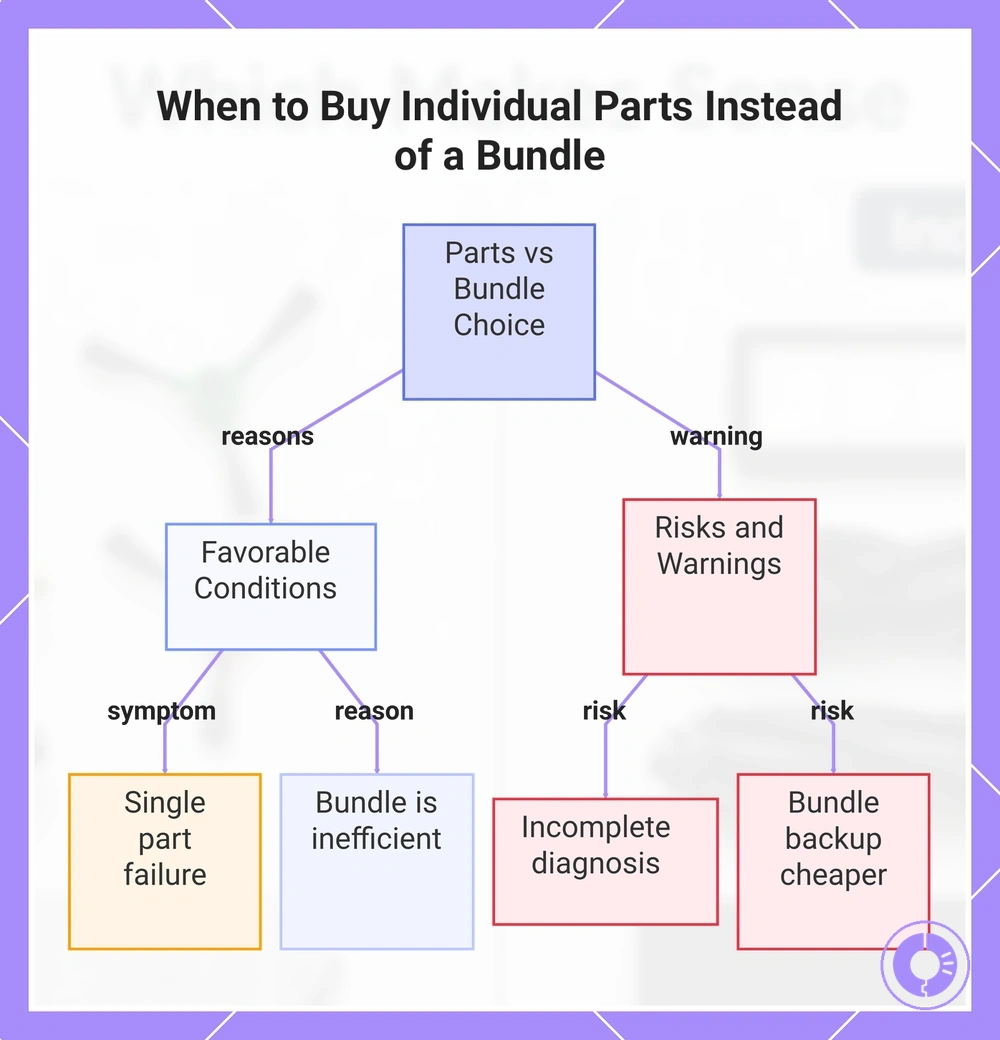
Individual parts make more sense when you need a single component replacement rather than a full set. The decision depends on isolated need, fit-critical version, and whether the bundle would leave duplicate extras unused.
- The symptom points to one specific part, such as a side brush that no longer spins, and no other component shows wear.
- The model or series uses a unique mounting point or connector that differs from the bundle’s generic fit.
- The bundle includes parts you already replaced recently, creating duplicates that may not add value.
- A single part costs less than the bundle’s per-item price when the other components are not needed.
- The replacement is for a secondary unit or a spare robot, where a full kit might exceed the device’s remaining useful life.
- The part is version-specific, and the bundle mixes revisions that may not match your unit.
- You already verified the exact part number through the robot’s app or a visual check, so the bundle’s general fit is unnecessary.
Singles reduce waste when the need is narrow. However, buying individual parts carries a risk if the diagnosis is incomplete or if the bundle would have provided a backup component at a lower combined cost. Confirm the correct version and model series before purchasing a standalone part to avoid fit issues that a bundle might have resolved.
This chart shows the key conditions that favor individual parts over a bundle and the risks to consider before purchasing.
Isolated wear or damage where one part restores performance
Reduced performance—weaker suction or erratic movement—often stems from isolated wear or damage to a single component. Replacing only that one part—like a worn brush or a blocked filter—can restore performance without the waste and cost of a full kit. The checklist below matches symptoms to a likely part and a verification step.
- Reduced suction power: likely a clogged filter or worn brush. Verify by checking the filter for debris and inspecting brush bristles for wear.
- Strange noise during operation: likely a damaged wheel module or stuck debris. Verify by rotating wheels manually and listening for grinding or obstruction.
- Battery draining quickly: likely a degraded battery cell. Verify by checking battery health in the app or observing runtime.
- Inconsistent cleaning pattern: likely a faulty navigation sensor or worn side brush. Verify by cleaning sensor lenses and inspecting brush spindles.
If multiple symptoms appear at once, more than one part may need replacement; consider a kit only when diagnosis confirms multiple worn components. The actual cause depends on model and usage condition.
Model-specific fit where a bundle adds incompatible duplicates
When a bundle includes incompatible duplicates, the risk of wasted money increases because fit depends on specific component conditions that a pre-packed kit cannot verify. A part name may stay the same while the mounting or version changes, creating duplicates that do not match the chassis or revision. Check these fit variables before purchase to avoid mismatches and waste.
- Shape or version mismatch – If the part's shape or version variant differs from what the model/series requires, it often will not seat correctly, making the purchase a waste.
- Connector or mounting cue mismatch – If mounting points or connector positions differ, the component cannot fit into the existing assembly, wasting the cost of both the part and the bundle.
- Revision signal mismatch – Using a part from a later or earlier revision without confirming compatibility can introduce duplicates that neither replace nor supplement the failed component, adding waste.
Targeted upgrades when you only want to change one part type
A targeted upgrade replaces one part type—such as a specific brush or filter—when that component alone no longer meets your cleaning needs. This approach avoids paying for parts you do not need, which often happens with bundles that include duplicates or low-priority items. The desired outcome is to improve the machine's operation on a single dimension while other components remain unchanged. The following comparison shows how a single purchase differs from a full refresh.
| Aspect | Upgrade one part | Refresh multiple parts |
|---|---|---|
| Focus | Single part type per need | Multiple parts at once |
| Cost efficiency | Money spent only on what needs replacement | May dilute value if some parts still functional |
| Waste risk | Low: no extra parts to dispose | Higher, due to unneeded items or duplicates |
| Compatibility | Part must fit existing system | Each part must individually pass fit checks |
Verify measurements and specifications before purchasing; fit and compatibility constraints still apply.
Compatibility risk in kits and how misfit changes the value calculation
Compatibility risk in kits means a misfit between the part version and your specific Roomba model can turn expected savings into waste and downtime. A kit that claims to fit many models may still include a component that does not match your unit's series, revision, or version—if that happens, the cost-value calculation shifts, making the kit more expensive than buying individual parts due to unusable components and time lost on returns. That is why fit verification must come before price comparison.
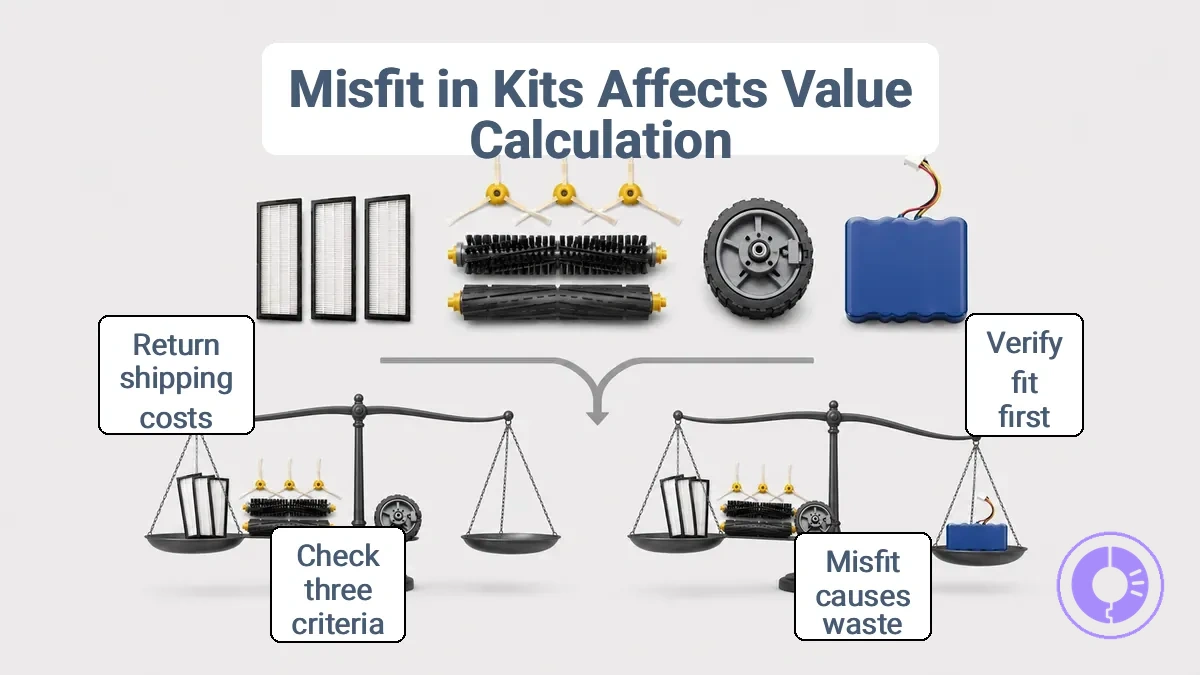
Fit-risk signals depend on three criteria: the exact model series, the revision number of the part, and the part version. When any of these do not match, the kit component may not seat correctly, may not communicate with the robot, or may cause operational errors. The result is a direct cost-value loss: you paid for a part you cannot use, and the time spent on return shipping or troubleshooting adds hidden cost. A safe choice requires checking these signals before you complete the purchase.
- Kit label says 'fits many models' but does not list your exact series → verify the revision number before ordering.
- Part version differs from the original component's version → confirm compatibility through the manufacturer's fit check tool.
- Return policy is unclear or restocking fee applies → treat the kit as high risk unless you can confirm fit.
- Multiple components in the kit have different revision numbers → each must match your model; one mismatch can break the whole set.
- Online reviews mention version mismatch or returns for your model series → treat that as a strong fit-risk signal.
- Low fit risk — kit lists your exact model series and revision; manufacturer provides a fit check tool; return policy is free and easy.
- High fit risk — kit uses generic 'fits many models' claim; no revision or version details; reviews report returns for your series.
Why “fits many models” kit listings fail across series and revisions
A “fits many models” claim often fails because each part must match a specific series, revision, and mount configuration. Even similar-looking parts can differ in critical dimensions or attachment points, leading to unusable components.
- Revision differences: A later revision of the same model may use a different attachment point or internal geometry. A kit that fits the earlier revision can be impossible to install on the later one, even though both share the same model name.
- Similar-looking parts with different mounts: Two parts may appear identical but have a mount that is shifted by a few millimeters. A kit that relies on the original mount position may not align, causing a mismatch that prevents proper seating.
- Mixed-series packing: Some kits bundle components from different series. One component may fit the intended series while another does not, leaving the user with a partial set that cannot be used together.
- Version mismatch in subcomponents: Even when the main part fits, a subcomponent such as a bracket or fastener may belong to a different version. The result is a kit that is neither complete nor functional.
- Unlisted trim or option variations: A kit that covers the base model may omit the mount needed for a model with an optional feature. The buyer discovers the gap only during installation.
When to stop bundle shopping and verify fit before you compare prices
Pause bundle shopping and verify fit when uncertainty about part version or compatibility arises, because a discount on an incompatible part offers no cost-value benefit.
- Uncertainty about the part version or model number → confirm the Roomba model and revision before comparing prices, which avoids paying for an unusable part and reduces cost risk.
- Vague compatibility details (like 'works with most models') → verify fit against your exact model to ensure the discount applies and improve cost-value confidence.
- Item description lacking precise compatibility details → cross-reference the manufacturer part number with your unit’s serial number to reduce the risk of buying a non-matching part.
- Uncertainty about whether bundled parts are compatible with your specific model → verify each component's fit before comparing bundle and individual prices to avoid paying for incompatible extras and reduce cost waste.
- A large price gap between bundle and individual prices → treat that gap as a stop signal and verify fit first, because a mismatch may negate the discount and reduce cost-value confidence.
- Uncertainty whether the part is original or a compatible alternative → verify it matches your model's required specifications to reduce the risk of performance issues and maintain cost-value confidence.
When the part version and model are already known, verification can be minimal – a quick check of the listing’s compatibility confirmation is often enough to proceed with confidence.
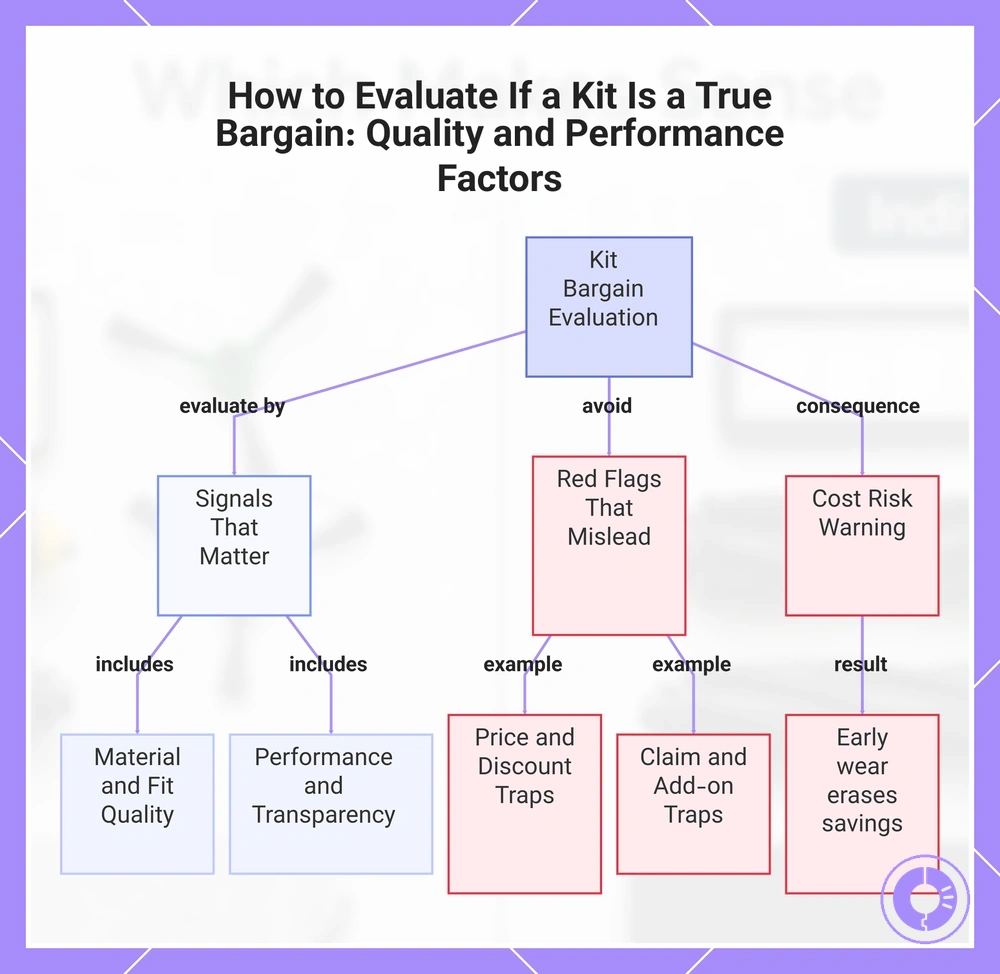
Quality and Performance Factors That Decide Whether a Kit Is Truly a Bargain
The cost-value of a kit hinges on its quality—how long it performs and how soon you face repeat replacements. Material quality and fit directly affect durability and performance retention. These signals separate what matters from what often misleads.
- Signals that matter:
- Material quality (e.g., durable bristle stiffness, consistent filter media)
- Fit consistency across part versions
- Sealing integrity for filters and gaskets
- Verified performance retention across usage cycles
- Transparent part specifications from the maker
- Red flags that often mislead:
- Low price alone without context
- Overstated lifespan claims without evidence
- Excessive add-ons that pad the kit
- Heavy discounting from unreliable sources
Criteria such as fit, material quality, and performance retention are essential, and reviewing the quality checklist before choosing a kit helps evaluate cost-value. A cheap kit can cost more if it wears early, requiring repeat replacements that erase any initial saving. Relying on price alone risks hidden costs from premature wear and wasted decision time.
This chart shows the key signals that indicate a kit's true value and the red flags that often mislead buyers, along with the cost risk of ignoring quality.
Parts That Most Affect Cleaning Results and Replacement Frequency
The parts that most affect cleaning results and replacement frequency are those involved in debris pickup and airflow.
- Filters: affect airflow and suction path; regular replacement is a low-cost way to maintain cleaning performance.
- Rollers: key for debris pickup; wear reduces pickup efficiency, so replacement provides good value.
- Side brush: influences edge and baseboard cleaning; wear reduces coverage, and replacement restores edge cleaning value.
- Sensor assemblies: dirty or failing sensors affect navigation and cleaning pattern accuracy, reducing cleaning value.
The relative impact of each component can vary by home conditions, such as flooring type and typical debris load.
When paying more reduces repeat replacements and hidden costs
The cost trade-off between a higher upfront cost and long-term value depends on whether paying more actually reduces repeat replacements and avoids hidden costs from repeated purchases and installation waste.
- Pros of paying more:
- When the part uses more durable materials, it can maintain performance stability longer and reduce the need for repeat replacements.
- When quality control is stricter, hidden costs from early failure and shipping delays are less likely.
- When the component fits correctly and matches the original specifications, the total cost over time may be lower than repeatedly buying cheaper replacements.
- Cons of paying more:
- When the higher cost does not correspond to better fit or material quality, the upfront expense may not prevent repeat replacements.
- When the part is over-engineered for the use case, hidden costs include money wasted on capabilities that may not provide value.
- When the original defect or wear pattern is not addressed by the more expensive part, the trade-off may not reduce total cost.
Only pays off when fit is correct.
A fast decision path: kit, multipack, or single part
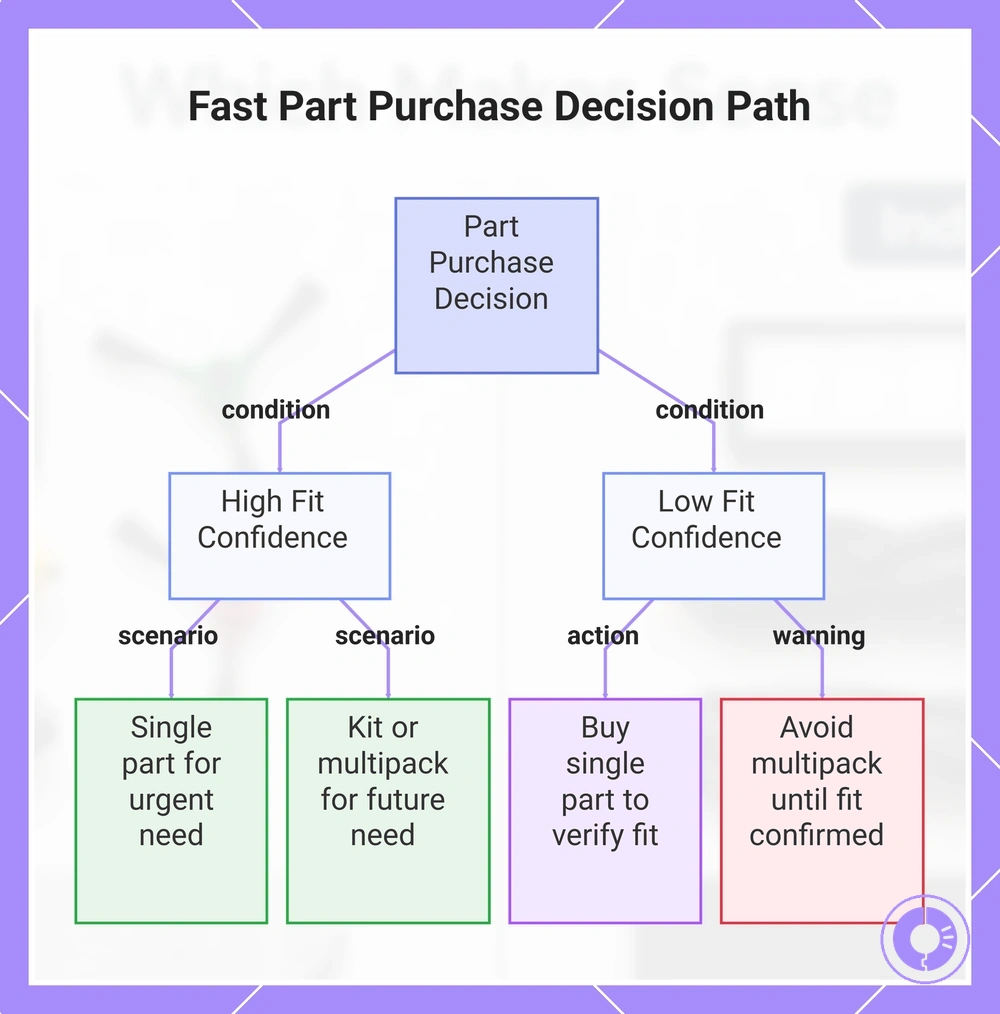
The decision path for a kit, multipack, or single part comes down to three factors: current need, due timing, and fit confidence. This decision tree lays out those factors as a quick choice.
- Need now + high fit confidence: A single part is the fastest option.
- Need now + low fit confidence: Start with a single part to verify fit before buying extras.
- Due within the same window + high fit confidence: A kit or multipack covers multiple parts in one purchase.
- Due within the same window + low fit confidence: Choose a single part first to confirm compatibility.
- Multiple parts due + high fit confidence: A kit or multipack saves time and shipping cost.
Scenario: You notice the side brush is worn and the filter is due for replacement in two months. You have replaced parts before and know your model. The decision tree points to a kit: it covers both parts in one order, matches your due timing, and your fit confidence is high. The outcome is a kit that can help avoid a second purchase later.
Buying a multipack may seem like a way to save money, but if fit is uncertain, don't focus on price yet. Verify fit with a single part first, then buy the larger format once you confirm the correct version.
The products below are useful examples for comparing available options. Before buying, check that the compatibility criteria, key features, and product details match your needs.
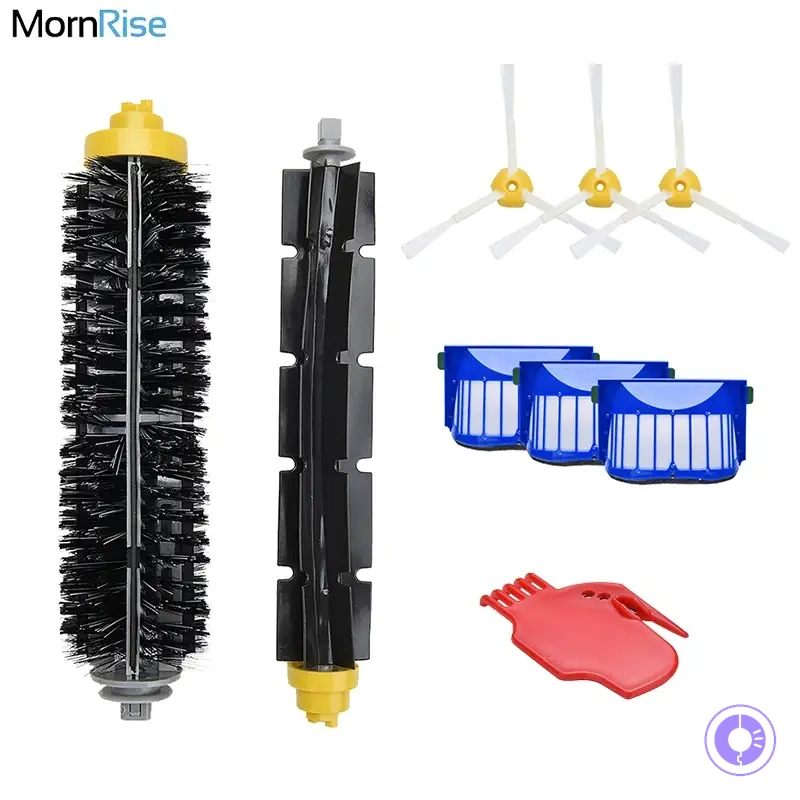
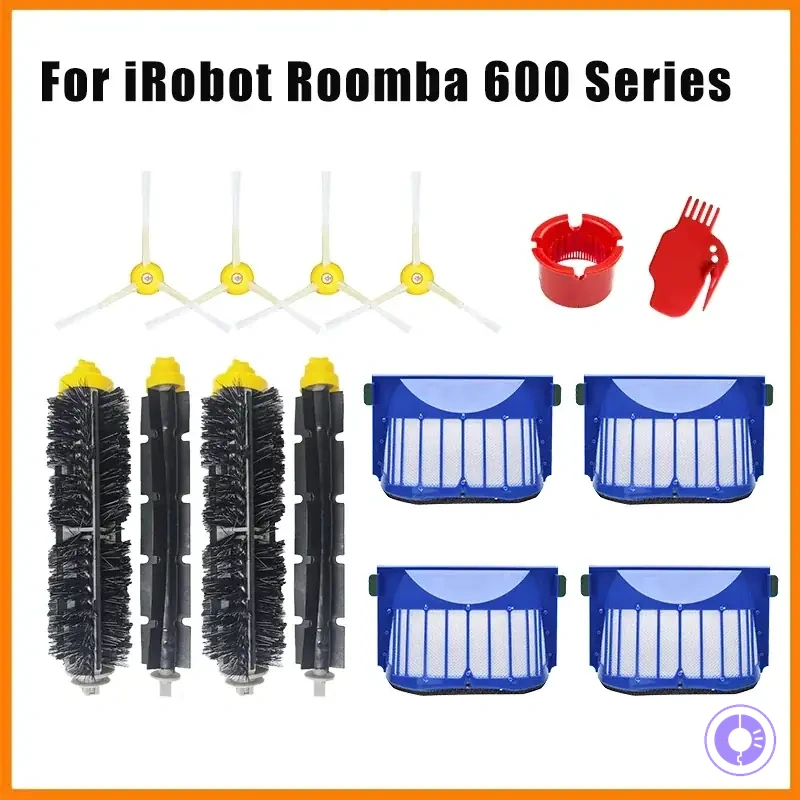
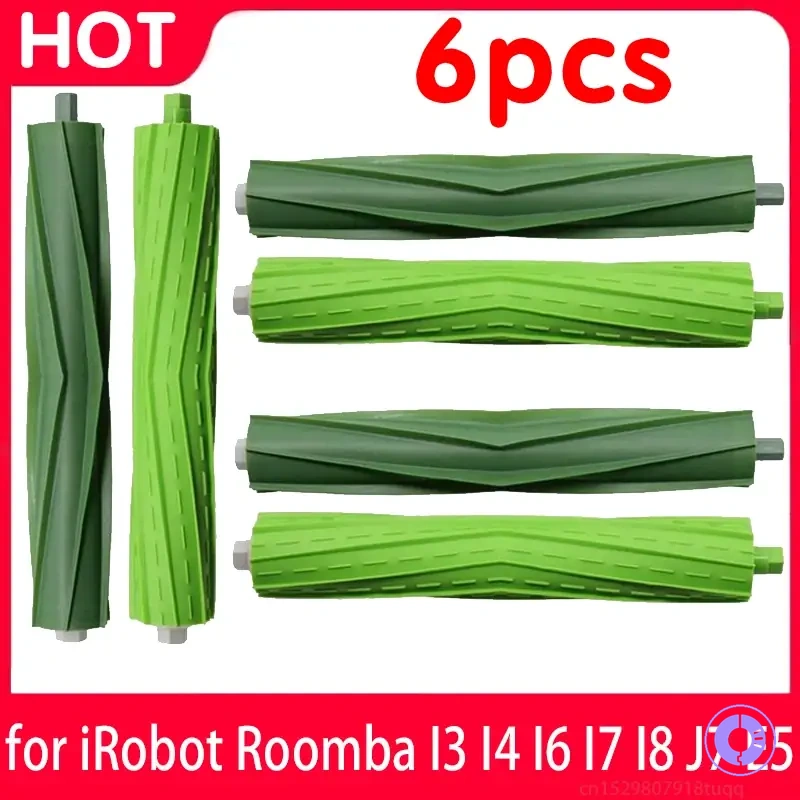
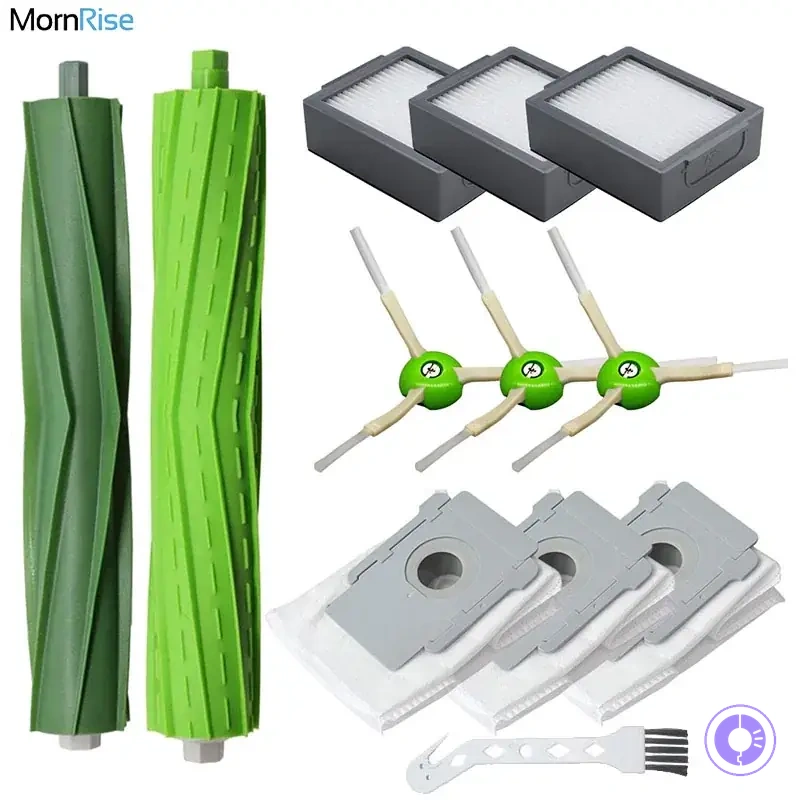
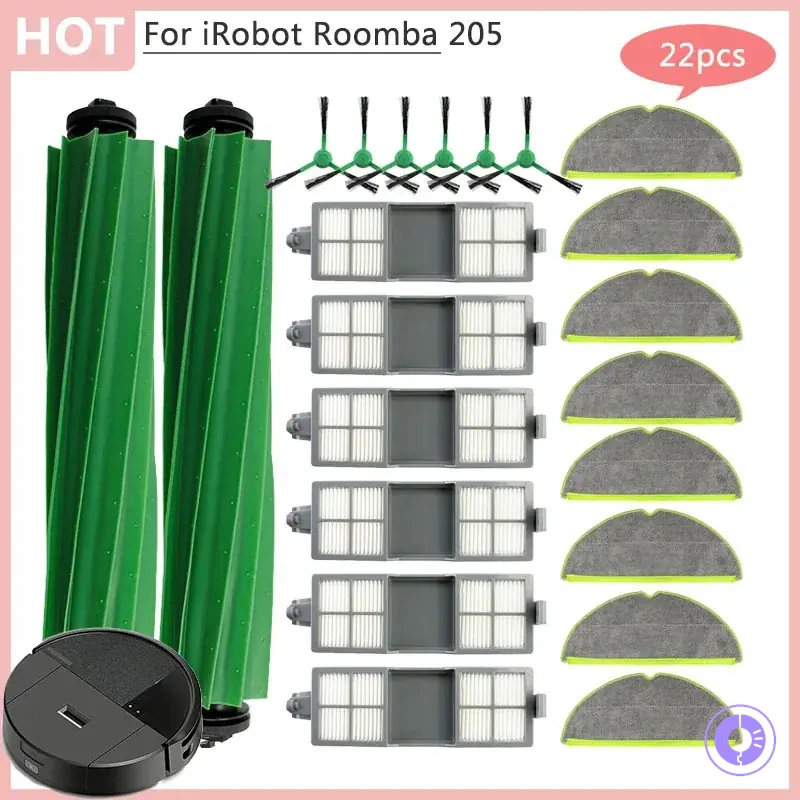
This chart helps you decide between a single part and a kit or multipack based on fit confidence and need timing.
Choose a Kit When Replacements Cluster and the Per-Cycle Cost Drops
When multiple replacement parts are due together, a kit is often the better choice. A single urgent failure may still justify a single-part buy.
- Multiple components wear or fail at the same time, forming a cluster → a kit match covers all at once.
- Parts are interdependent → replacing them together helps avoid compatibility issues.
- The cost of separate shipping and handling for individual parts can exceed the kit's total value → per-cycle cost can drop.
- Reorder friction is high due to long lead times or limited availability → a single purchase can reduce the need for multiple reorders.
Choose a multipack when one consumable runs out faster than the rest
When wear is uneven across components, a single-item multipack for the dominant consumable can be a better value than a full kit. Focusing on the part that drives replacement frequency can reduce waste from unused duplicates and help avoid buying full kits prematurely.
- A component that consistently needs replacement before others → choose a multipack for that component.
- Unused parts accumulate from kits because one consumable wears out faster → pick a refill pack for the dominant consumable.
- Replacement schedules vary widely between parts → a multipack for the shortest-lived component fits that pattern.
- Reorder history shows one part replaced repeatedly while others remain in stock → that part is dominant; consider a multipack for it.
When multiple parts are due at similar intervals, a kit may be better.
Choose a Single Part When the Need Is Isolated or Fit-Critical
Choose a single part when the need is isolated—one component fails while others are functional—or fit-critical, where dimensional or material matching directly affects performance. This approach often avoids the waste and cost of a full kit. However, before proceeding, a quick verification checklist can help avoid duplicates and misfit.
- Verify the part number against the original — helps avoid ordering the wrong iteration and reduces mismatched dimensions.
- Confirm that surrounding components are intact — avoids replacing a part when the root cause lies elsewhere, reducing repeated failures.
- Check for subtle shape or mount differences — helps avoid misfit from revision changes that may not be obvious from the part number alone.
- Ensure the failure mode matches the part's expected wear pattern — helps prevent misdiagnosis and the cost of replacing a part that wasn't the true source of the problem.
If uncertainty persists after these checks, pausing the purchase until fit is confirmed can save time and avoid the extra cost of a non‑working part.
FAQ: Kit Meaning, Replacement Timing, and Common Value Traps
A maintenance kit typically includes a bundle of commonly worn parts like filters, brushes, and side brushes, but the exact contents vary by brand and model. These edge questions deal with kit meaning, replacement timing, and common value traps that can lead to unnecessary spending.
What does 'maintenance kit' usually include? A maintenance kit bundles parts that typically wear at similar rates, but not all kits contain the same items, so check the list before ordering. Does a kit make sense if only one part is worn? If only one part is worn, a single replacement may cost less, but a kit can be worth it if other parts are due soon, depending on replacement timing. How can I handle uncertain replacement timing? Managing uncertain timing involves checking part condition during cleaning. Options include replacing all items at once or tracking individual usage, as no single approach fits all. Checking part numbers is a reliable way to confirm compatibility.
Is 'fits many models' a reliable claim? 'Fits many models' is not always reliable. Design changes between revisions can affect compatibility, so check the specific version. How can I avoid buying duplicates? Avoiding duplicates starts with checking your inventory; a common value trap is buying a kit containing parts you already have. A price-check method for comparing offers can help avoid buying duplicates. What is a value trap in this context? A value trap is a kit that seems cost-effective but includes unnecessary items or poor-quality components. Kits that are very cheap may use lower-grade materials, or they may bundle parts that wear at different rates, making some items obsolete before use.
To avoid value traps, prioritize kits that clearly list each component and match your model's exact revision. Check contents against what you need and verify fit by comparing part numbers. When in doubt, verify fit with manufacturer specifications.
The products below are useful examples for comparing available options. Before buying, check that the compatibility criteria, key features, and product details match your needs.